> ## Documentation Index
> Fetch the complete documentation index at: https://docs.tread.ai/llms.txt
> Use this file to discover all available pages before exploring further.
# Agent Configurations
> Configure Tread's AI agents — AI Ticket Scanning, AI Reviews, and the Driver Agent.
## What you'll do
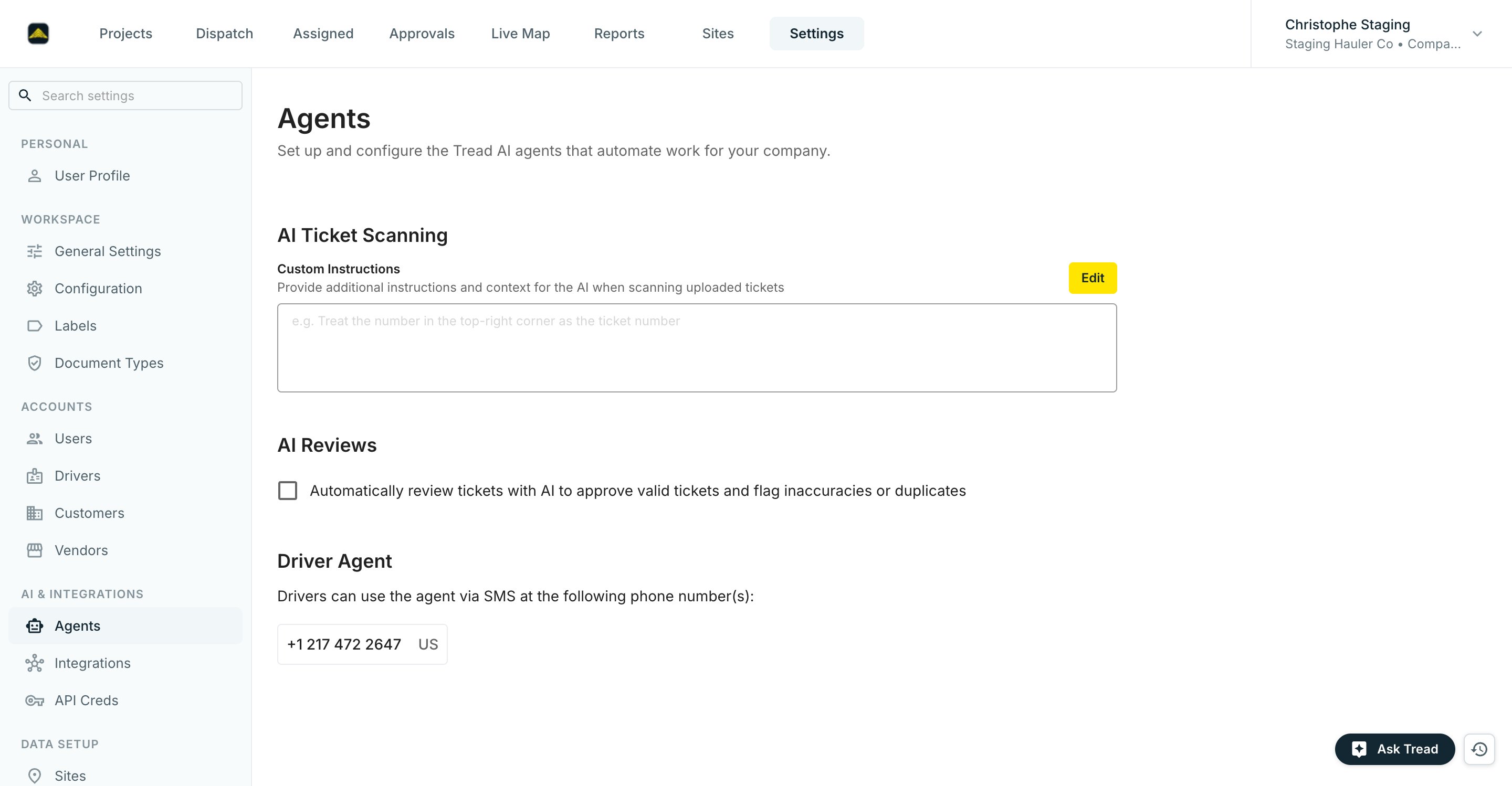
Review the AI agents on **Settings → Agents**. Each configuration is independent — set them in any order, and change them later.
## Before you start
* [Drivers](/onboarding/master-data/drivers) and [Vendors](/onboarding/master-data/vendors) set up so the agents know who to contact.
* A first dispatch run completed so the agents have tickets to work on.
* A billing lead identified to review the agents' first week of output.
 ## The configurations
### AI Ticket Scanning
**Custom Instructions** tell the AI how to read your uploaded tickets — for example, "Treat the number in the top-right corner as the ticket number." Click **Edit**, describe your ticket layout, and save.
### AI Reviews
Check **Automatically review tickets with AI to approve valid tickets and flag inaccuracies or duplicates**. There is no confidence threshold to pick. Instead, add **Custom Instructions** with context specific to your company — for example, "Always flag tickets where the quantity exceeds 30 tons."
### Driver Agent
Once ticket chasing is live, this section lists the phone number(s) drivers text to upload tickets. If the section isn't there yet, click **Contact Tread for More Information** to have it set up.
On a project's order defaults, the **Ticket Chaser** toggle controls chasing for that project.
## Verify
Settings → Agents shows your custom instructions saved, the AI Reviews box checked, and the Driver Agent phone number(s) once ticket chasing is live.
## Common mistakes
**Treating AI Review flags as blocking.** A flag means "look at this," not "reject this." The billing lead reads the flag context, then approves or corrects. For the first five business days, review every auto-approved ticket; after that, sample 10%.
## The configurations
### AI Ticket Scanning
**Custom Instructions** tell the AI how to read your uploaded tickets — for example, "Treat the number in the top-right corner as the ticket number." Click **Edit**, describe your ticket layout, and save.
### AI Reviews
Check **Automatically review tickets with AI to approve valid tickets and flag inaccuracies or duplicates**. There is no confidence threshold to pick. Instead, add **Custom Instructions** with context specific to your company — for example, "Always flag tickets where the quantity exceeds 30 tons."
### Driver Agent
Once ticket chasing is live, this section lists the phone number(s) drivers text to upload tickets. If the section isn't there yet, click **Contact Tread for More Information** to have it set up.
On a project's order defaults, the **Ticket Chaser** toggle controls chasing for that project.
## Verify
Settings → Agents shows your custom instructions saved, the AI Reviews box checked, and the Driver Agent phone number(s) once ticket chasing is live.
## Common mistakes
**Treating AI Review flags as blocking.** A flag means "look at this," not "reject this." The billing lead reads the flag context, then approves or corrects. For the first five business days, review every auto-approved ticket; after that, sample 10%.