> ## Documentation Index
> Fetch the complete documentation index at: https://docs.tread.ai/llms.txt
> Use this file to discover all available pages before exploring further.
# Departments, Labels & Service Classes
> Optional categorization for reporting and dispatch flow.
## What you'll do
Add the optional tags that organize how data is filtered, dispatched, and coded. All three are optional — set up only what you'll actually use.
## Where each one applies
| Object | Apply it to | Use it for |
| --------------- | ------------------------------------------------------------------------------------------------------------------------------------------------------------------------------------ | ---------------------------------------------------------------------------- |
| Departments | [Projects and Orders](/concepts/orders-projects), [Customers](/onboarding/master-data/customers), [Vendors](/onboarding/master-data/vendors), [Sites](/onboarding/master-data/sites) | Filter the Dispatch board, Projects list, approvals, and reports by division |
| Labels | [Users](/onboarding/master-data/users), [Drivers](/onboarding/master-data/drivers), Customers, Vendors, [Equipment](/onboarding/master-data/equipment) | Color-coded chips for filtering and quick identification |
| Service Classes | Projects, Orders, [rate cards](/workflows/manage-rates) | Rate and bill by type of service |
## Before you start
* A list of departments your business reports against (e.g., Aggregates, Asphalt, Hauling).
* A list of dispatch labels you already use on whiteboards or sticky notes (e.g., "Standby," "Priority," "Inbound").
* A list of service classes from your accounting or job-cost system if you code work by job type.
## Walkthrough
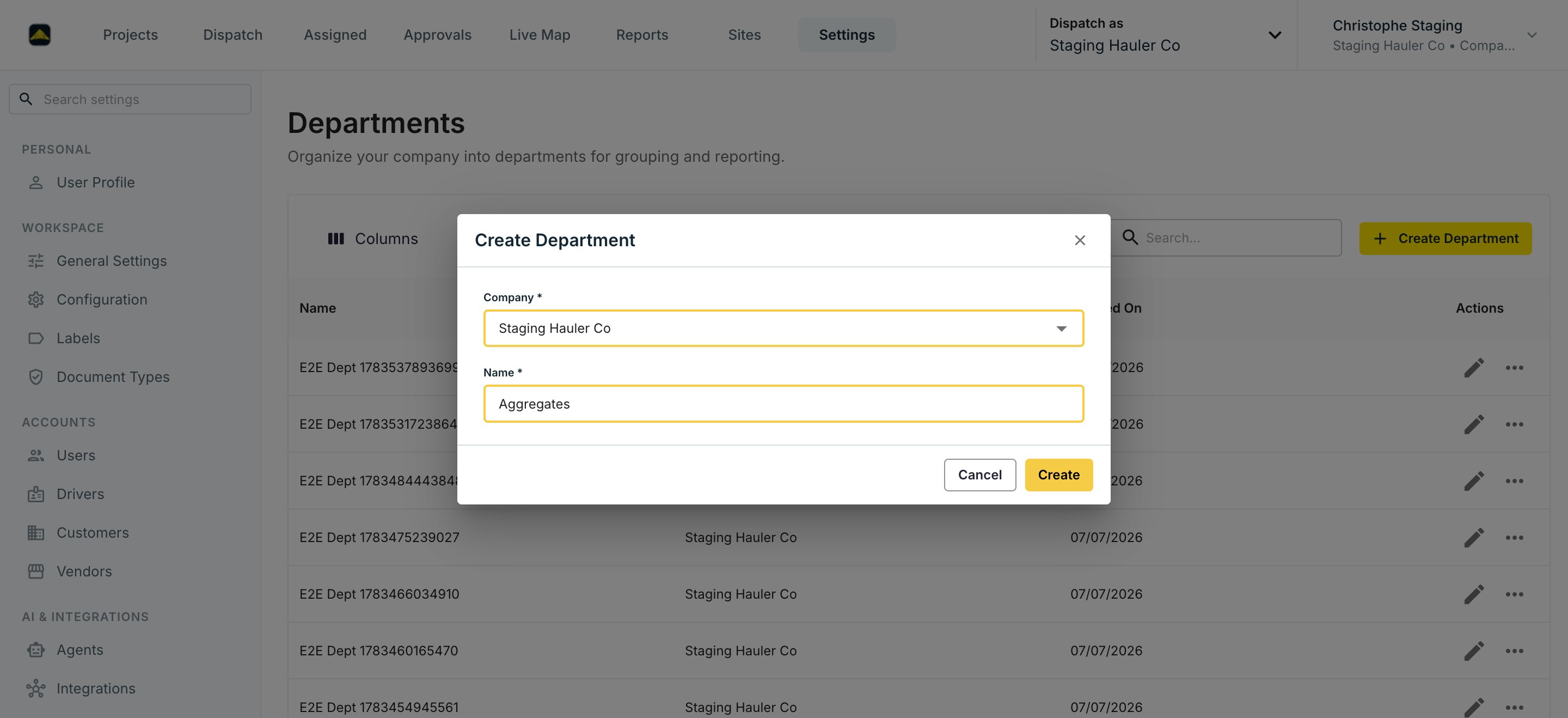
Settings → **Departments** → **Create Department**. Departments group [orders and projects](/concepts/orders-projects), accounts, and [Sites](/onboarding/master-data/sites) for reporting and filtering — the Dispatch board can filter by department. Use them if your finance team already reports by division.
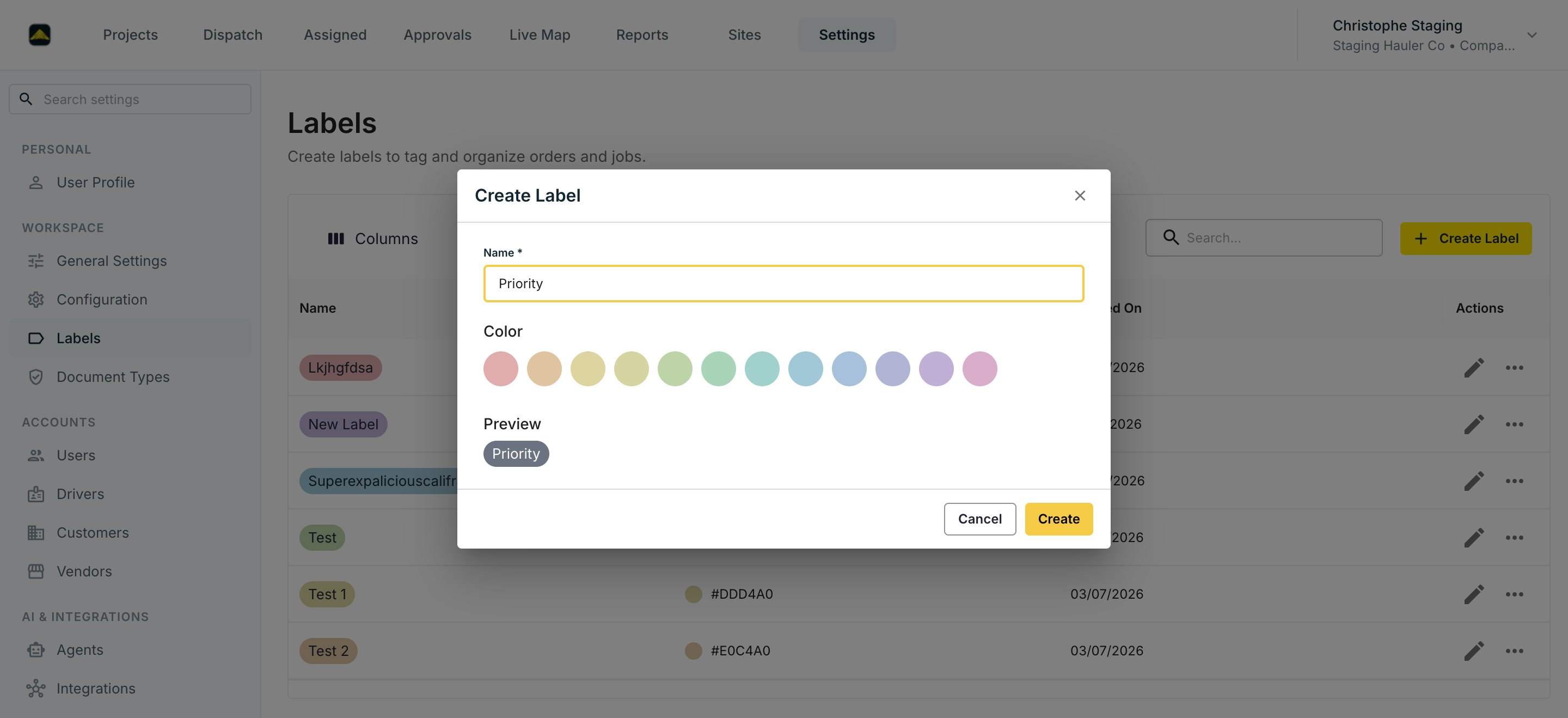
 Settings → **Labels** → **Create Label**. Labels are color-coded tags for Users, Drivers, Customers, Vendors, and [Equipment](/onboarding/master-data/equipment). Pick a name and a color — the preview shows the chip drivers and dispatchers will see. Mirror the tags you already use on whiteboards.
 Settings → **Service Classes** → **Create Service Class**. Service classes define the types of hauling service you offer (e.g., Hauling, Plant, Standby) and are used for rating and billing — a [rate card](/workflows/manage-rates) can be narrowed to a specific Service Class.
None of these are required. Add only what your team will use day to day. You can come back later.
## Verify
Each panel lists the rows you added. Create a test order — the new department and service class show up as options on the order form.
## Common mistakes
**Creating a label, department, and service class for every concept.** Pick only what your team will actually use daily and skip the rest.
Settings → **Service Classes** → **Create Service Class**. Service classes define the types of hauling service you offer (e.g., Hauling, Plant, Standby) and are used for rating and billing — a [rate card](/workflows/manage-rates) can be narrowed to a specific Service Class.
None of these are required. Add only what your team will use day to day. You can come back later.
## Verify
Each panel lists the rows you added. Create a test order — the new department and service class show up as options on the order form.
## Common mistakes
**Creating a label, department, and service class for every concept.** Pick only what your team will actually use daily and skip the rest.