> ## Documentation Index
> Fetch the complete documentation index at: https://docs.tread.ai/llms.txt
> Use this file to discover all available pages before exploring further.
# Sales Quotes
> Quote a job, share pricing, and convert straight to a project — no re-entry.
## How it works
A quote is a [Project](/concepts/orders-projects) in the **Quoted** state. You build it the same way you'd build any project — customer, site, equipment, materials — then generate a PDF to share instead of dispatching it right away. When the customer accepts, that same project moves to Active and runs as live work. Nothing gets recreated.
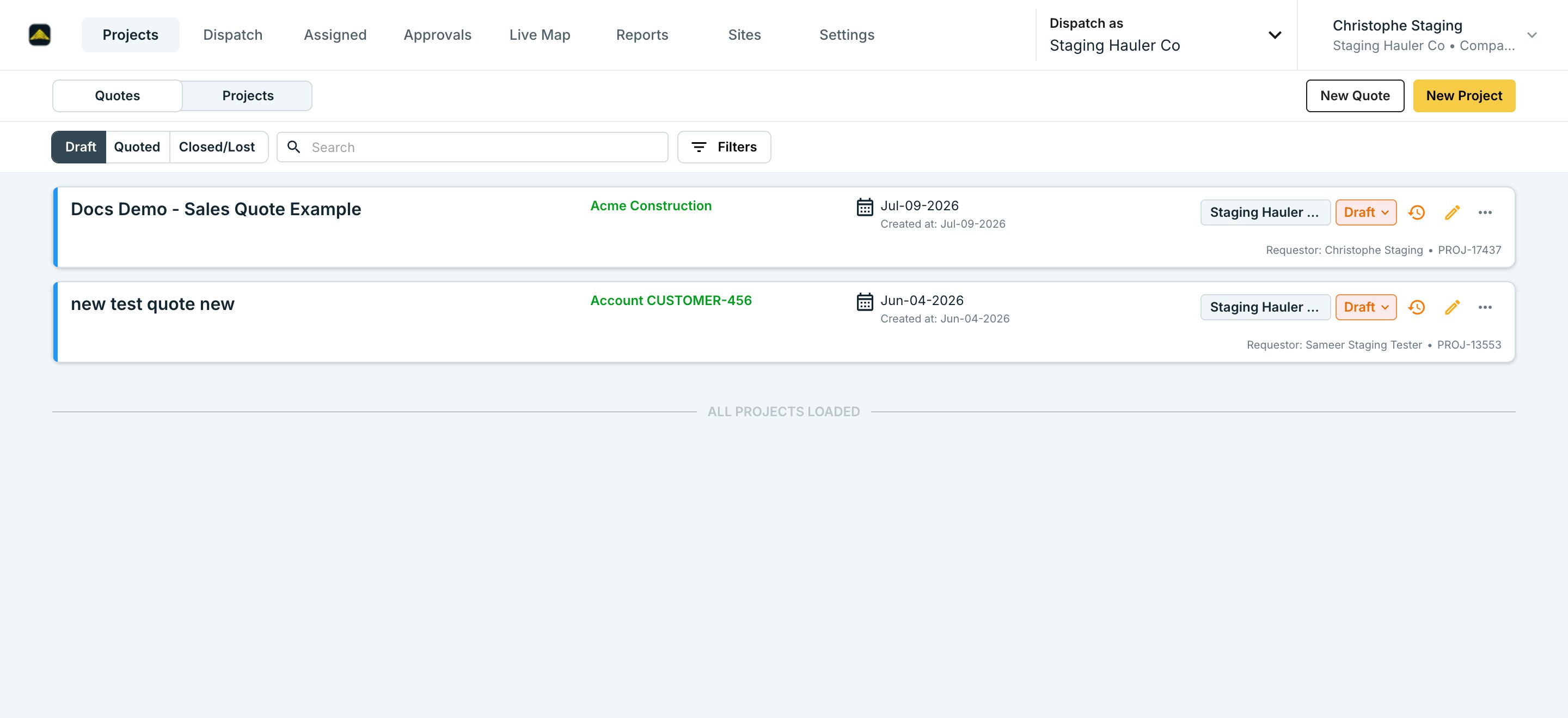 Click **New Quote** and fill out the project like you normally would. It saves as a **Draft** — a draft never dispatches or bills, so it's safe to build out while you're still pricing the job.
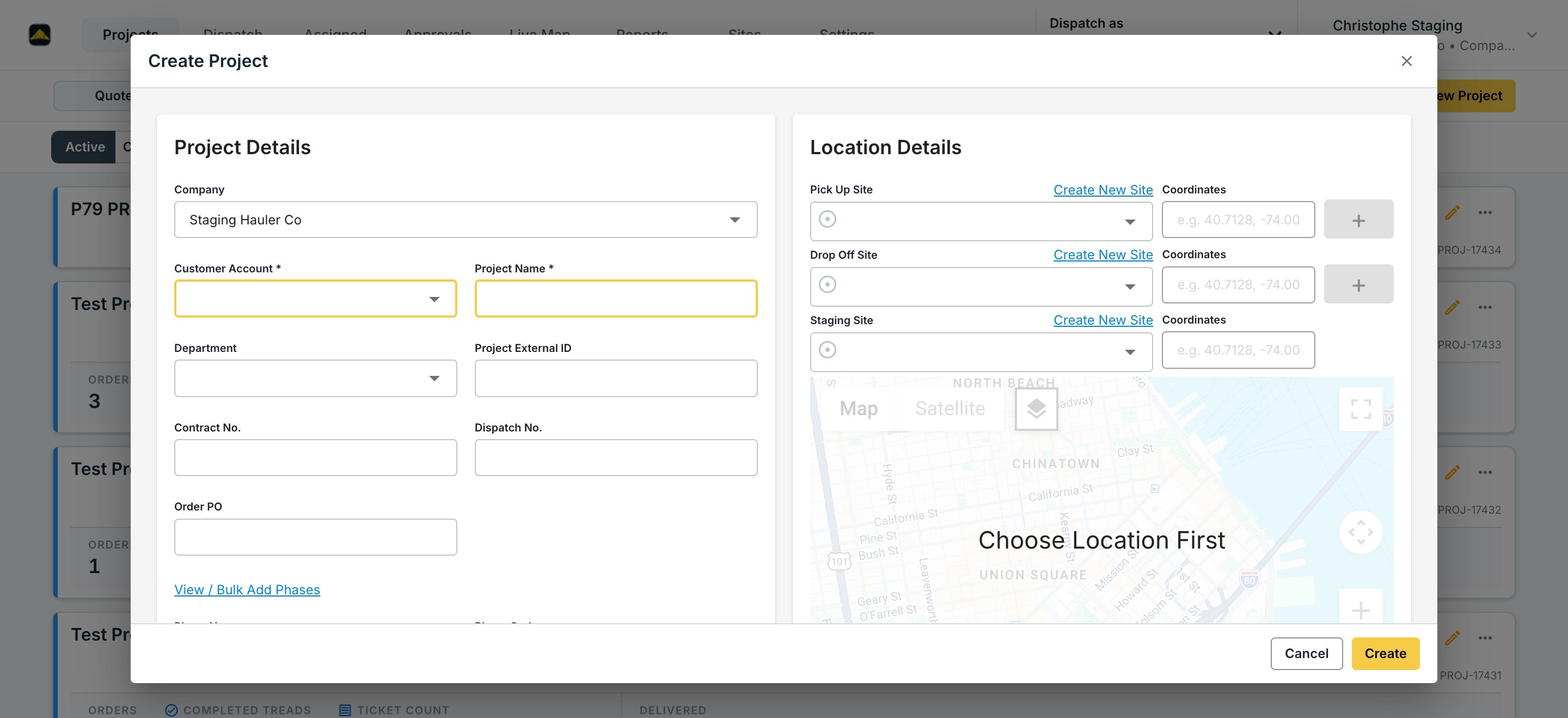 Rates set up under [Project Rates](/workflows/project-rates) — by lane, equipment type, and material — carry straight onto the quote. You don't re-enter pricing by hand.
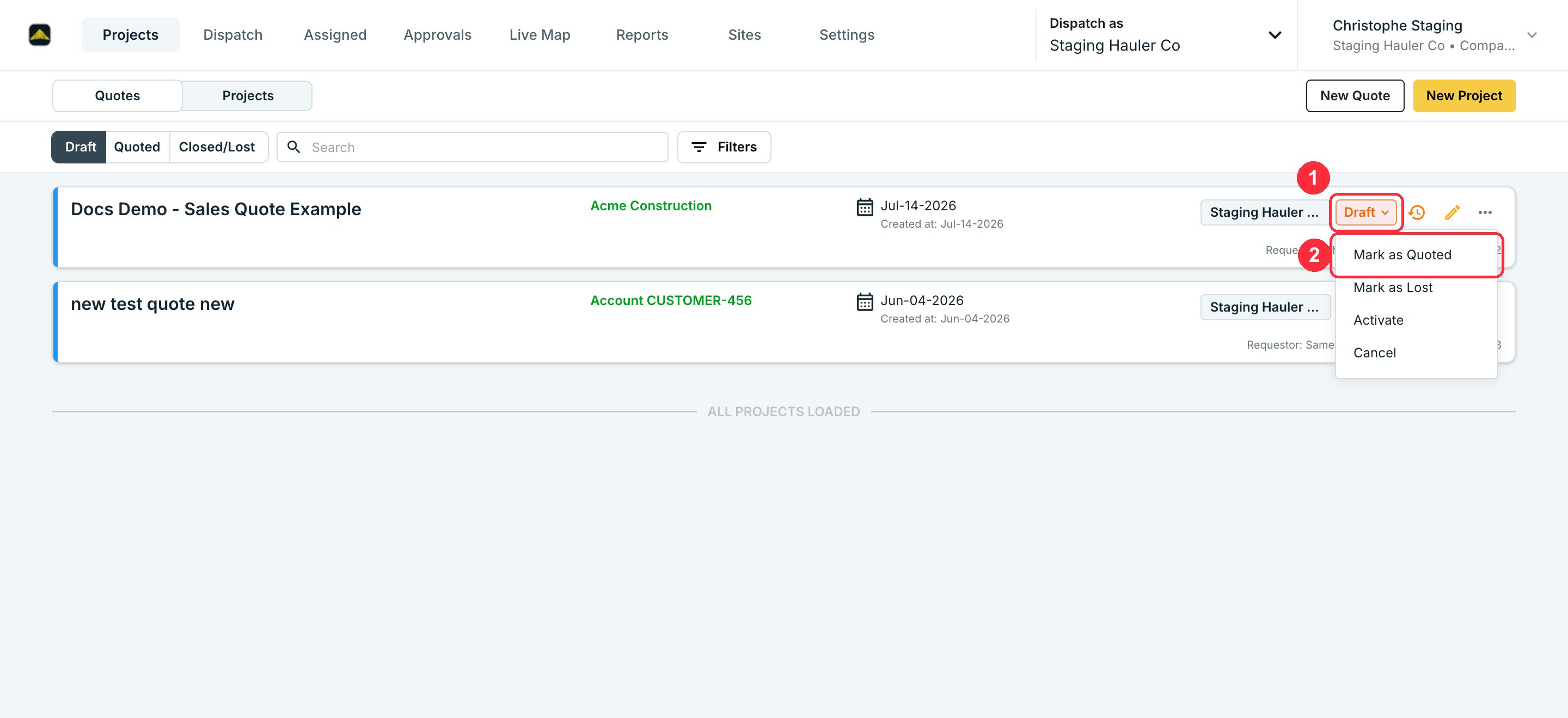
Click the project's state chip and choose **Mark as Quoted** once it's ready to share with the customer. This is the same record moving to a new state, not a copy.
Rates set up under [Project Rates](/workflows/project-rates) — by lane, equipment type, and material — carry straight onto the quote. You don't re-enter pricing by hand.
Click the project's state chip and choose **Mark as Quoted** once it's ready to share with the customer. This is the same record moving to a new state, not a copy.
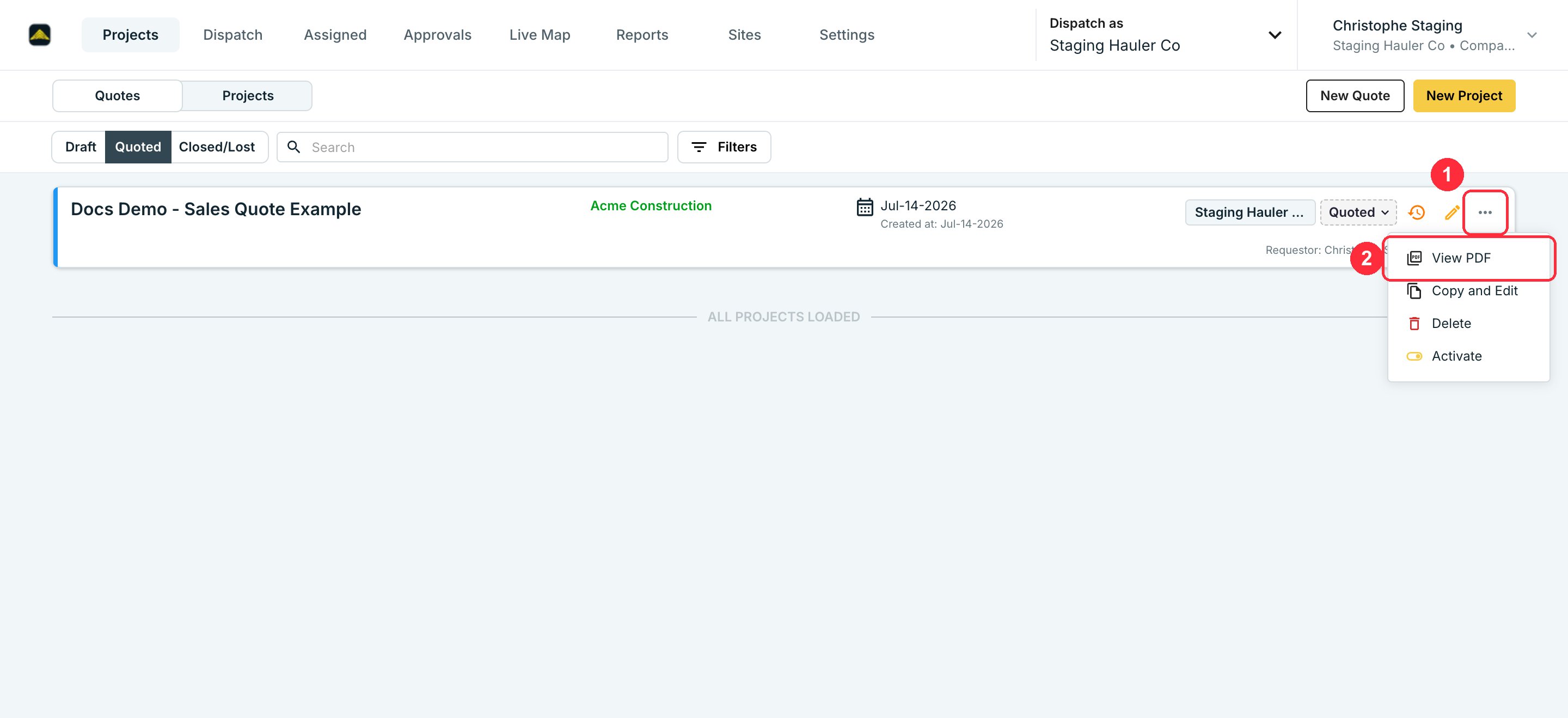
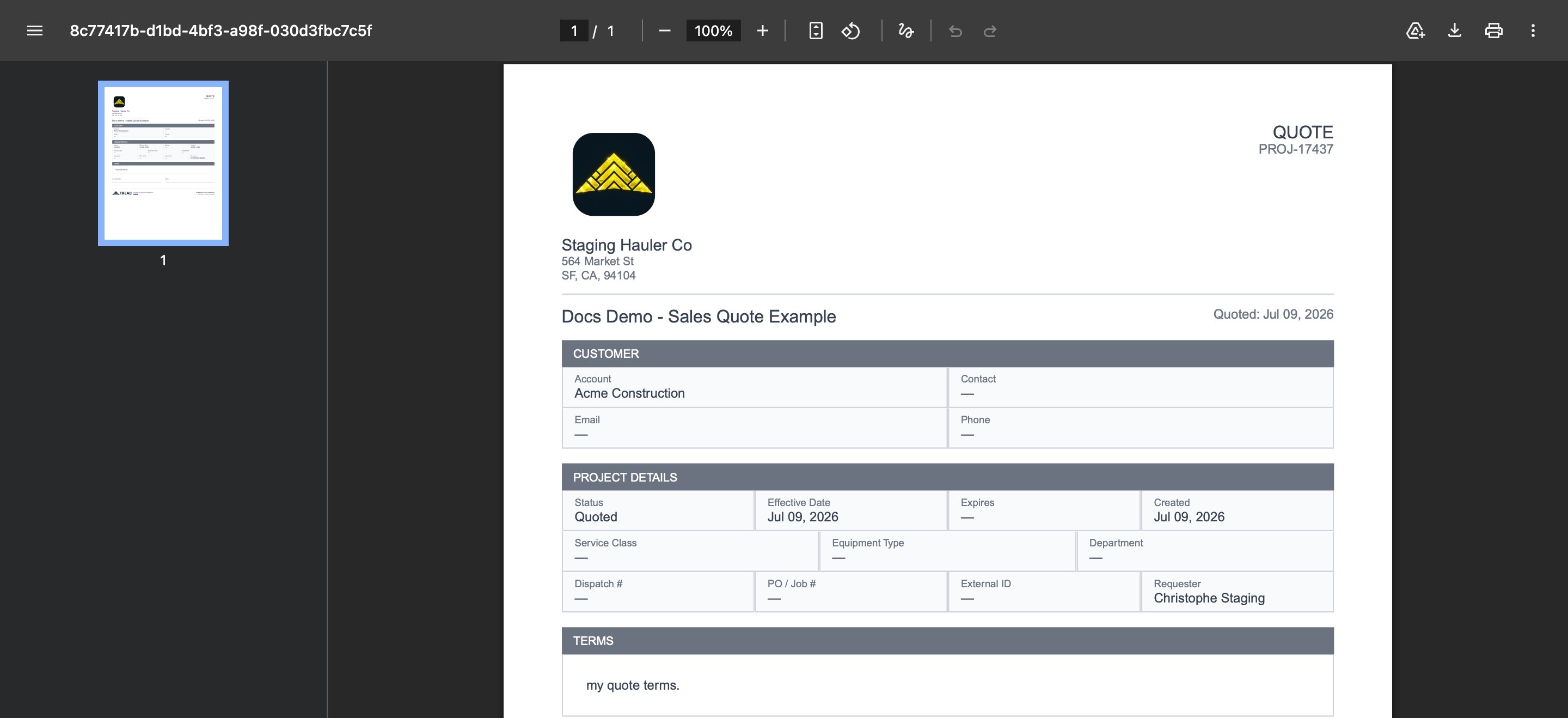
 Open the project's action menu and choose **View PDF**. Tread builds the PDF in your browser with your line items, rates, and quote terms already on it.
 Download the PDF and send it however you send quotes today — email, print, whatever your process is. Tread doesn't email it to the customer for you yet; see Limitations below.
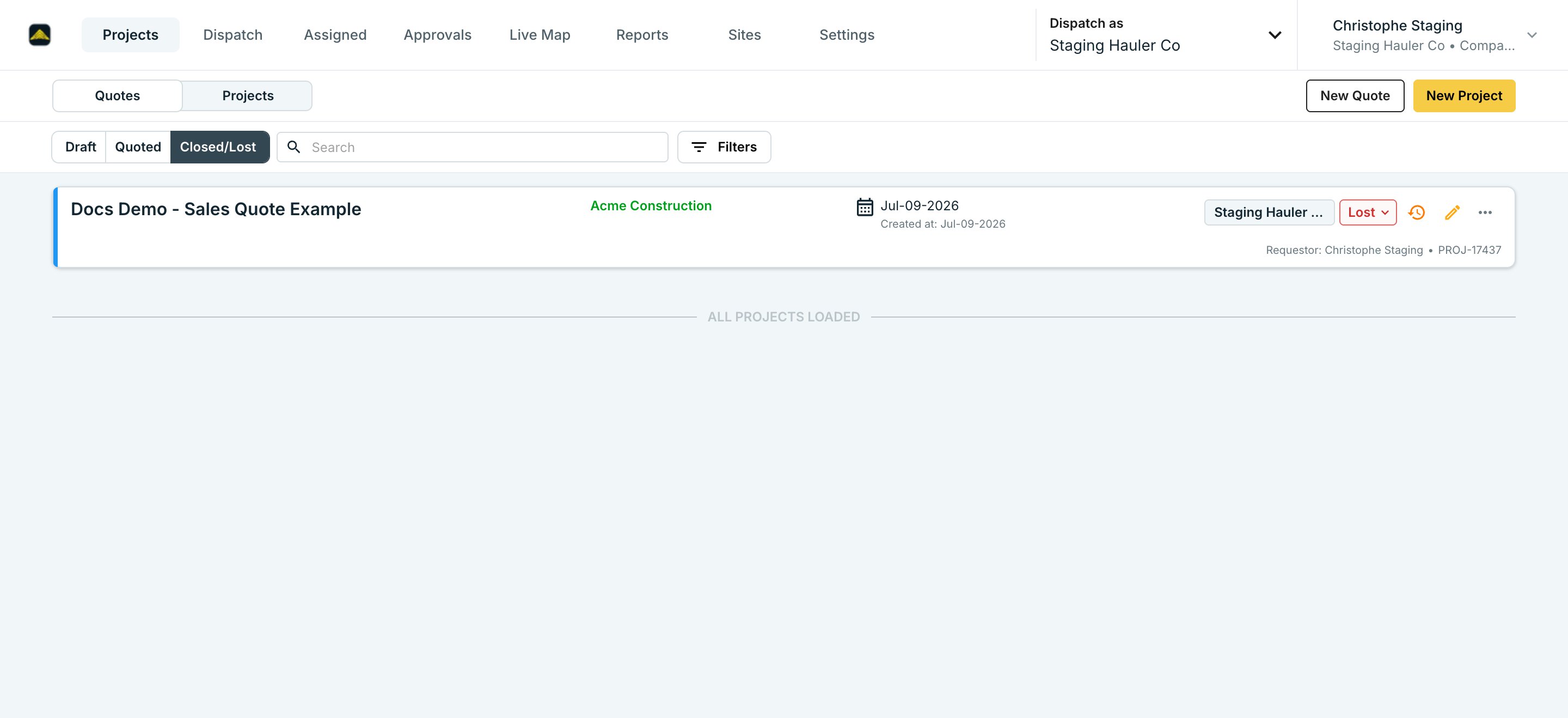
If the customer accepts, activate the project — it starts running as live work with the same data, no re-entry. If they decline, mark it **Lost**.
Download the PDF and send it however you send quotes today — email, print, whatever your process is. Tread doesn't email it to the customer for you yet; see Limitations below.
If the customer accepts, activate the project — it starts running as live work with the same data, no re-entry. If they decline, mark it **Lost**.
 ## Quote states
| State | What it means |
| ------ | ---------------------------------------------------------------------------------------------------------------------------------- |
| Draft | Still being built. Nothing has been shared. |
| Quoted | Shared with the customer, waiting on a decision. |
| Lost | Customer declined. There's no reason-tracking field yet — if you need to know why quotes are lost, track it outside Tread for now. |
| Active | Accepted. Runs as a live project — [orders and dispatch](/workflows/create-a-project) continue from here. |
## Quote terms
Set default terms once under **Settings → Configuration**. Every quote uses them unless you override the terms on that specific project. The PDF renders your terms and an acceptance signature block.
## Limitations
* **No email-send from Tread yet.** Download the PDF and send it yourself — in-app send-to-customer is planned but not live.
* **Line-item pricing only.** The PDF shows rates by lane, equipment type, and material. There's no single blended "delivered price" line if that's how you price a job.
* **No digital acceptance.** A customer can't accept by clicking a link in an email. Activate the quote in Tread yourself once they've said yes.
## Related
* [Project Rates](/workflows/project-rates) — the pricing a quote pulls from.
* [Create a Project, Order, and Dispatch](/workflows/create-a-project) — what happens once a quote goes active.
* [Orders & Projects](/concepts/orders-projects) — the data model a quote lives inside.
## Quote states
| State | What it means |
| ------ | ---------------------------------------------------------------------------------------------------------------------------------- |
| Draft | Still being built. Nothing has been shared. |
| Quoted | Shared with the customer, waiting on a decision. |
| Lost | Customer declined. There's no reason-tracking field yet — if you need to know why quotes are lost, track it outside Tread for now. |
| Active | Accepted. Runs as a live project — [orders and dispatch](/workflows/create-a-project) continue from here. |
## Quote terms
Set default terms once under **Settings → Configuration**. Every quote uses them unless you override the terms on that specific project. The PDF renders your terms and an acceptance signature block.
## Limitations
* **No email-send from Tread yet.** Download the PDF and send it yourself — in-app send-to-customer is planned but not live.
* **Line-item pricing only.** The PDF shows rates by lane, equipment type, and material. There's no single blended "delivered price" line if that's how you price a job.
* **No digital acceptance.** A customer can't accept by clicking a link in an email. Activate the quote in Tread yourself once they've said yes.
## Related
* [Project Rates](/workflows/project-rates) — the pricing a quote pulls from.
* [Create a Project, Order, and Dispatch](/workflows/create-a-project) — what happens once a quote goes active.
* [Orders & Projects](/concepts/orders-projects) — the data model a quote lives inside.