> ## Documentation Index
> Fetch the complete documentation index at: https://docs.tread.ai/llms.txt
> Use this file to discover all available pages before exploring further.

# Edit & Remove Drivers from a Vendor's Account

> Update a vendor's driver details, or remove a driver who no longer works for them.

Edit a [vendor's](/onboarding/master-data/vendors) driver when a name or phone number changes. Remove the driver when they stop driving for that vendor.

## Edit a driver
<Steps>
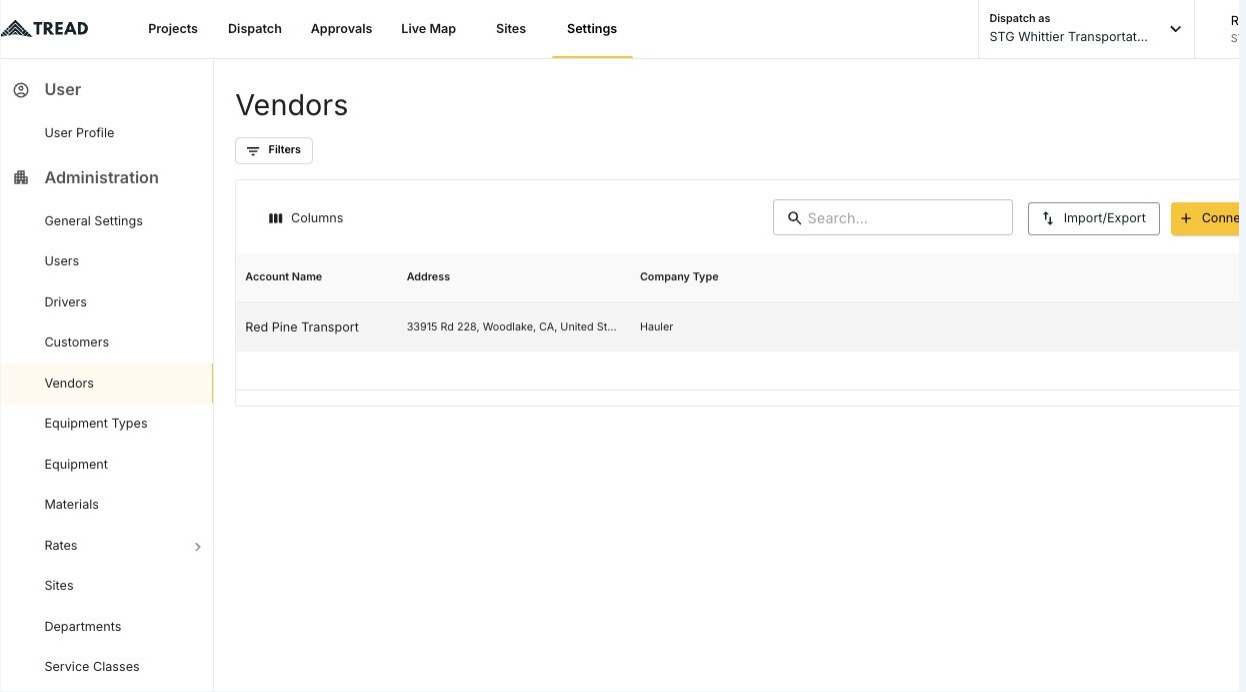
  <Step title="Open Settings → Vendors">
    <Frame>
      <img src="https://mintcdn.com/treadtechnologiesinc/z-gXukxyENJ5baPn/images/workflows/vendor-management/edit-drivers-01.png?fit=max&auto=format&n=z-gXukxyENJ5baPn&q=85&s=48d8c39bead0b6fab8b270ec8e075d78" alt="The Vendors page under Settings" width="1246" height="692" data-path="images/workflows/vendor-management/edit-drivers-01.png" />
    </Frame>
  </Step>

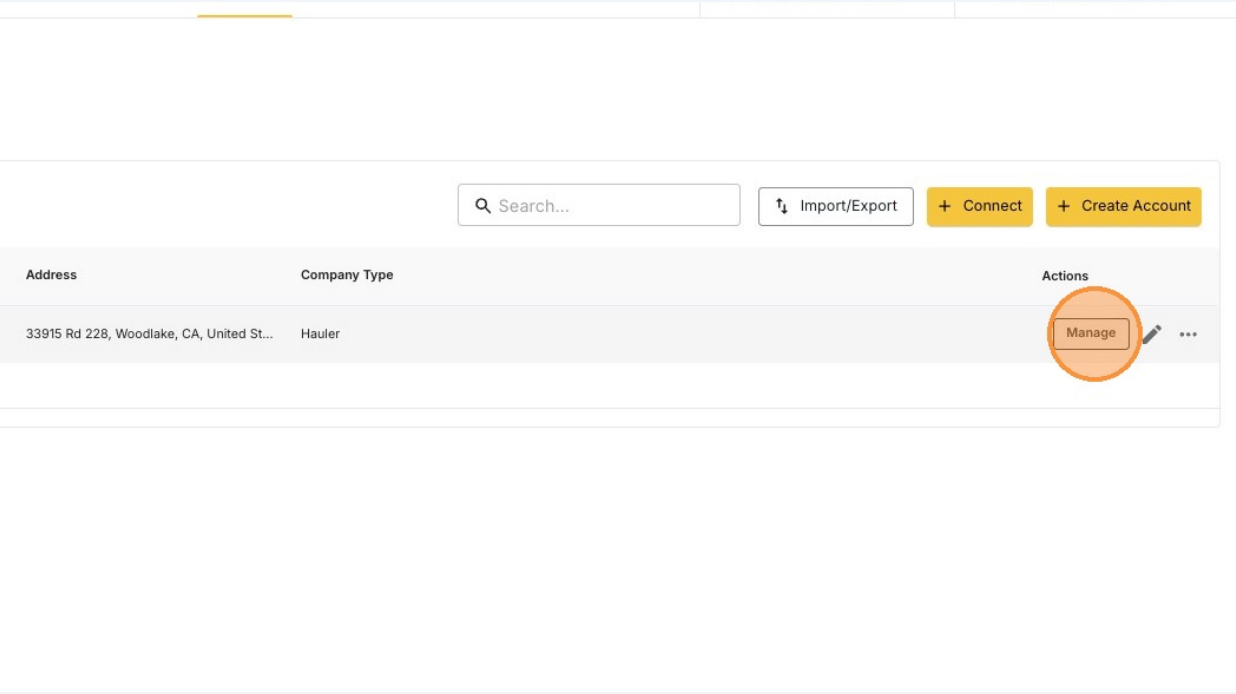
  <Step title="Click the MANAGE button">
    <Frame>
      <img src="https://mintcdn.com/treadtechnologiesinc/z-gXukxyENJ5baPn/images/workflows/vendor-management/edit-drivers-02.png?fit=max&auto=format&n=z-gXukxyENJ5baPn&q=85&s=611f1baa3ce30f51d73d30d6f1e86e6a" alt="The MANAGE button on a vendor row" width="1236" height="694" data-path="images/workflows/vendor-management/edit-drivers-02.png" />
    </Frame>

    <Note>
      No **MANAGE** button? Email [support@tread.io](mailto:support@tread.io) with the vendors you need to manage, or ask in the in-app chat.
    </Note>
  </Step>

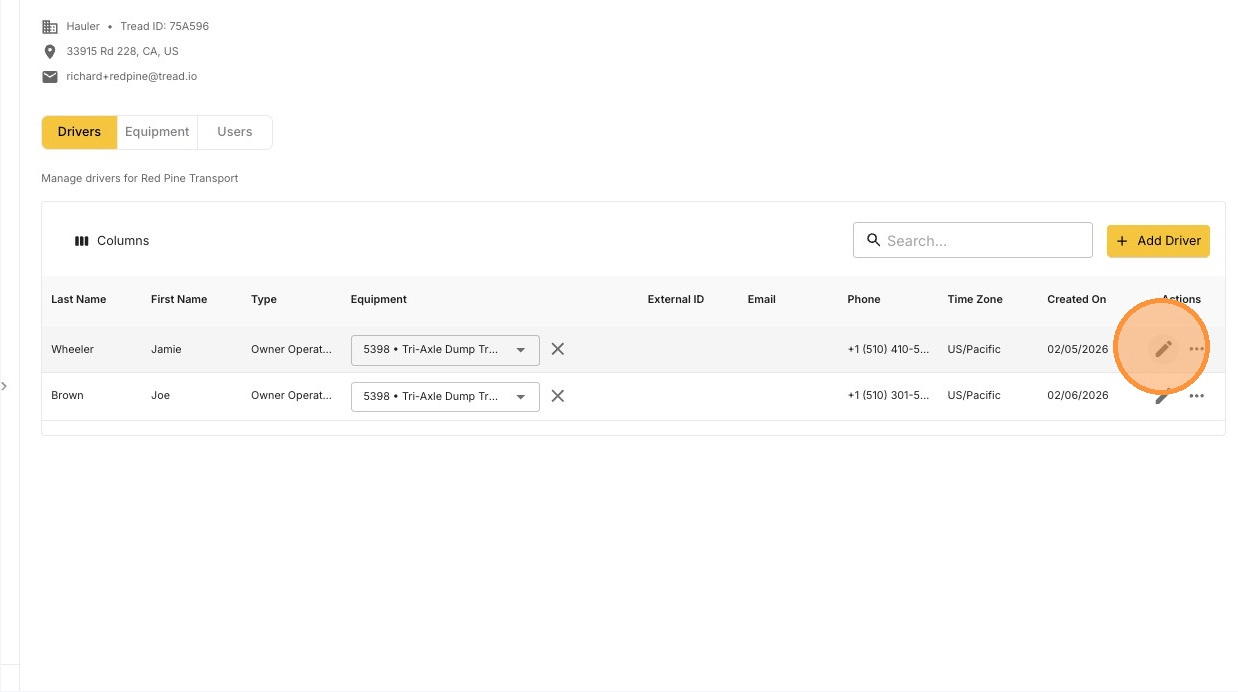
  <Step title="Find the driver and click the pencil icon">
    The list shows every driver who belongs to this vendor or is shared to them.
    <Frame>
      <img src="https://mintcdn.com/treadtechnologiesinc/z-gXukxyENJ5baPn/images/workflows/vendor-management/edit-drivers-03.png?fit=max&auto=format&n=z-gXukxyENJ5baPn&q=85&s=db9ecfe4cd592f65585aac4b95b8c781" alt="The pencil icon on a driver row in the vendor's Drivers tab" width="1238" height="692" data-path="images/workflows/vendor-management/edit-drivers-03.png" />
    </Frame>
  </Step>

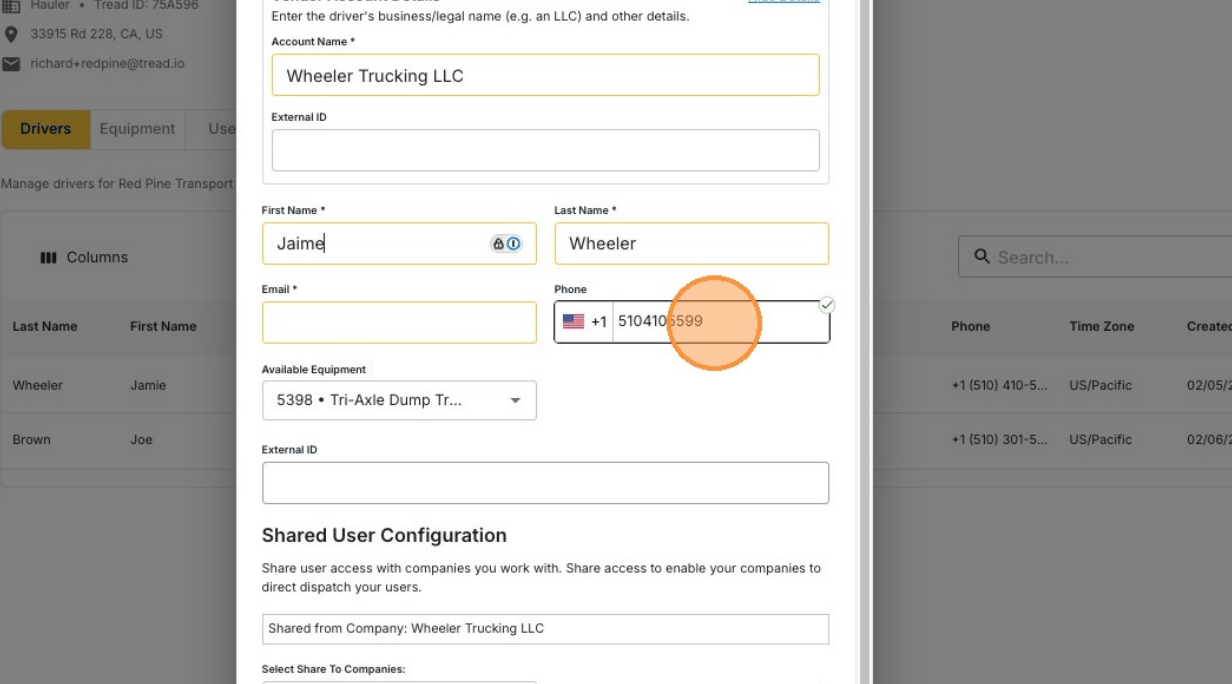
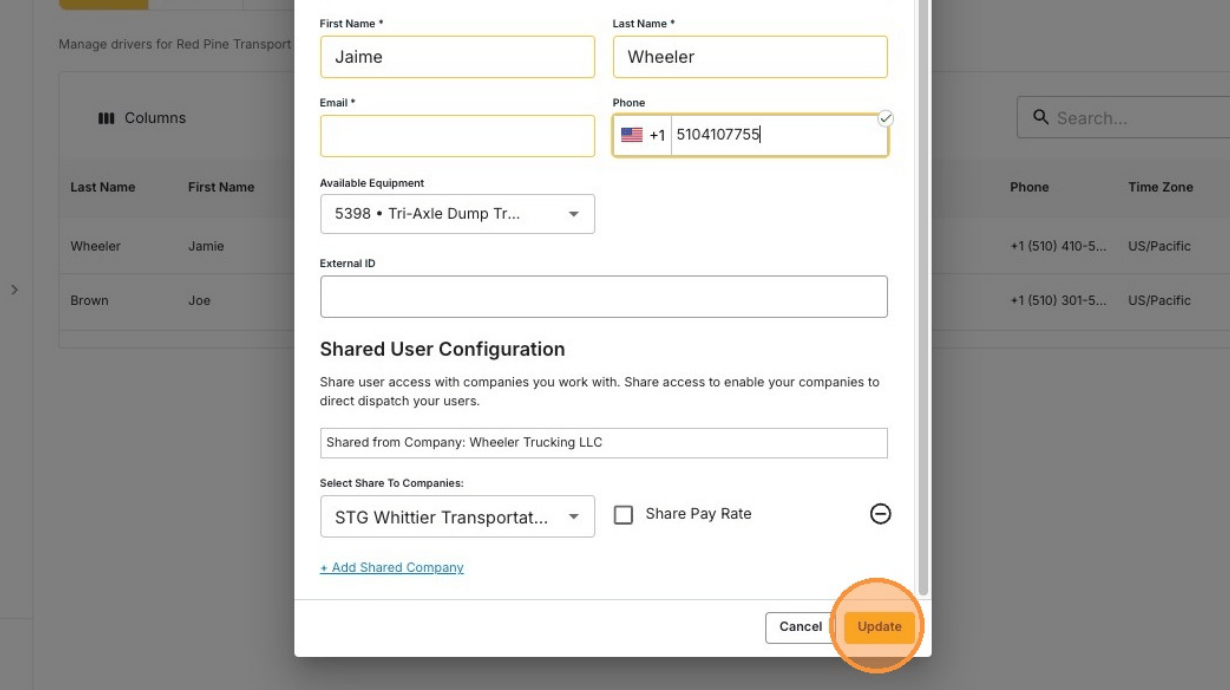
  <Step title="Edit the details and click Update">
    <Frame>
      <img src="https://mintcdn.com/treadtechnologiesinc/z-gXukxyENJ5baPn/images/workflows/vendor-management/edit-drivers-04.png?fit=max&auto=format&n=z-gXukxyENJ5baPn&q=85&s=f85a0ea0165456ae5ba6af640819efc0" alt="Editing a vendor driver's information" width="1232" height="684" data-path="images/workflows/vendor-management/edit-drivers-04.png" />
    </Frame>

    <Frame>
      <img src="https://mintcdn.com/treadtechnologiesinc/z-gXukxyENJ5baPn/images/workflows/vendor-management/edit-drivers-05.png?fit=max&auto=format&n=z-gXukxyENJ5baPn&q=85&s=b444189678a93bece08bbd92cea85b54" alt="The updated driver saved to the vendor's account" width="1230" height="690" data-path="images/workflows/vendor-management/edit-drivers-05.png" />
    </Frame>
  </Step>
</Steps>

## Remove a driver

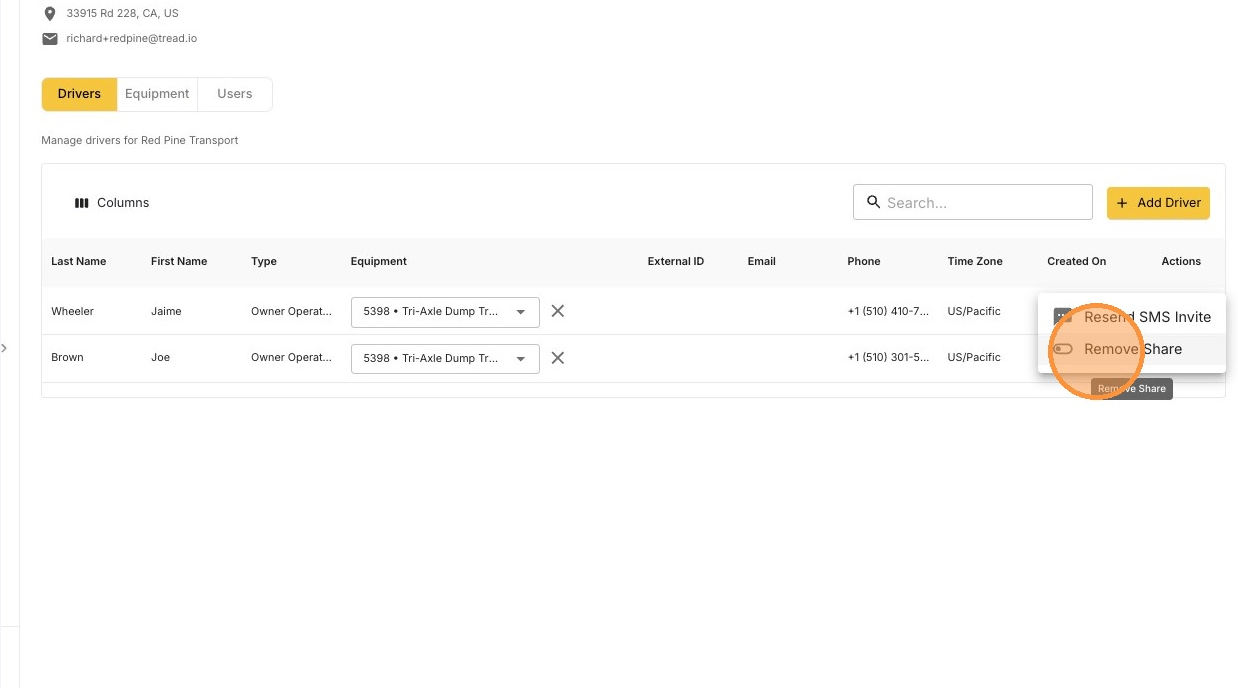
You remove a driver by unsharing them from the vendor's account.
<Steps>
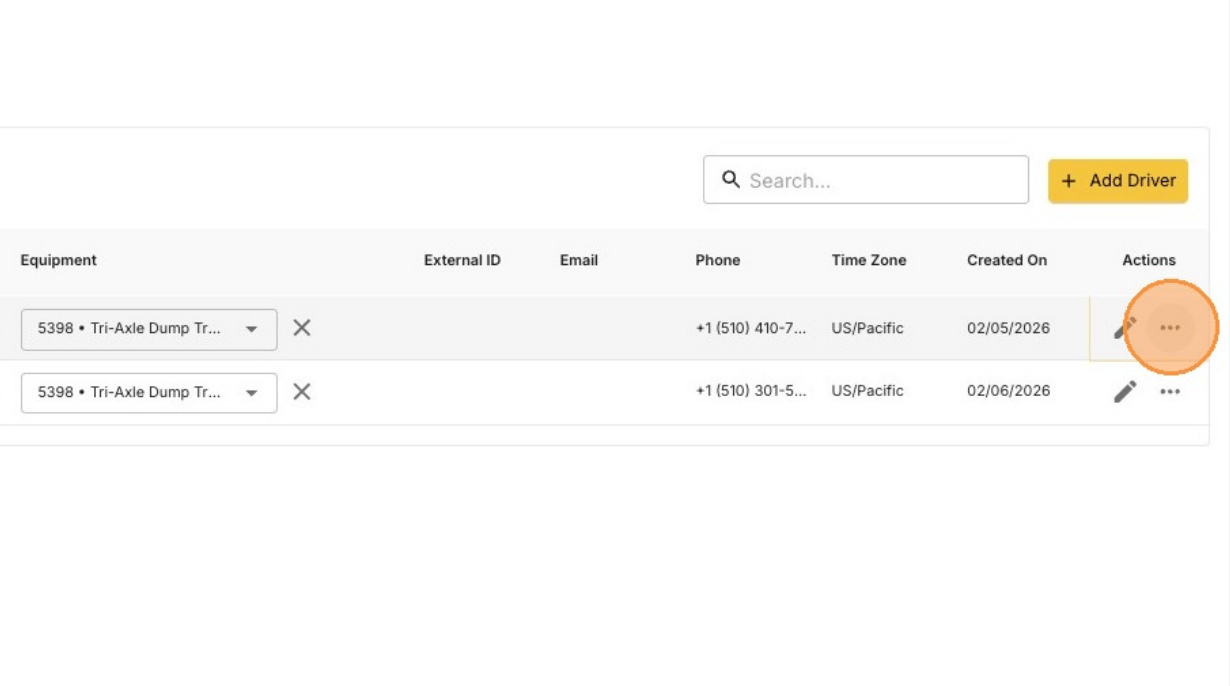
  <Step title="Find the driver and click the ••• icon">
    <Frame>
      <img src="https://mintcdn.com/treadtechnologiesinc/z-gXukxyENJ5baPn/images/workflows/vendor-management/edit-drivers-06.png?fit=max&auto=format&n=z-gXukxyENJ5baPn&q=85&s=251dbee88b0bb99a0bb15d6ce0498488" alt="The three-dot actions menu on a driver row" width="1230" height="686" data-path="images/workflows/vendor-management/edit-drivers-06.png" />
    </Frame>
  </Step>

  <Step title="Click Remove Share">
    <Frame>
      <img src="https://mintcdn.com/treadtechnologiesinc/z-gXukxyENJ5baPn/images/workflows/vendor-management/edit-drivers-07.png?fit=max&auto=format&n=z-gXukxyENJ5baPn&q=85&s=43ce072322e45a57b4bf3b0c9cb6ed70" alt="The Remove Share action in the driver row menu" width="1238" height="688" data-path="images/workflows/vendor-management/edit-drivers-07.png" />
    </Frame>
  </Step>
</Steps>

<Note>
  The driver may still be shared to **your** account. Remove that share from **Settings → Drivers** in your own account.
</Note>

## Related

* [Add Drivers to a Vendor's Account](/workflows/vendor-management/add-drivers)
* [Add, Edit, or Deactivate a User in a Vendor's Account](/workflows/vendor-management/manage-users)
* [Driver Lifecycle](/concepts/driver-lifecycle)