

Drivers can access basic functions without internet. In offline mode they can start, stop, and end their log (with time and location tracked), and upload scale tickets.
What drivers see
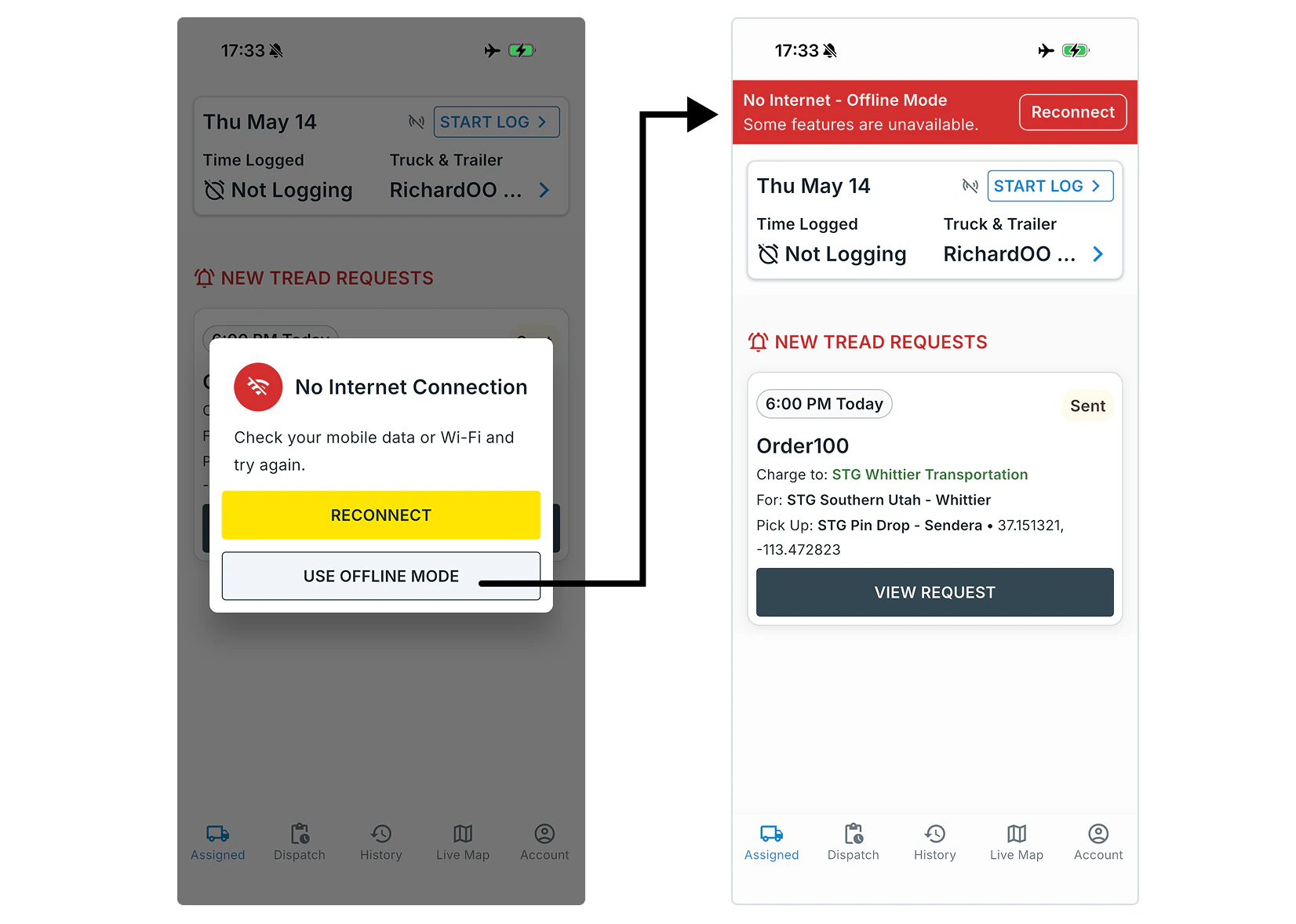
If a driver loses internet or can’t reach Tread, the app detects this and displays a prompt. From there, the driver can choose to enter offline mode or wait and try connecting again. While offline, a banner is shown at the top of the app so the driver always knows they’re working without internet or a connection to Tread.Offline Mode Prompt
What drivers can do offline
- Log management — Drivers can start, pause, and end their log. Time and location are tracked on-device throughout.

While offline, time and location are logged.
- Scale tickets — Drivers can create and submit scale tickets, including capturing a ticket photo.

- Messages — Drivers can write messages to dispatch. Each one shows Waiting for connection until the phone reconnects, then sends. Past messages in a conversation stay readable offline.
Data syncing
While offline the app stores location pings, time tracking, scale tickets, and unsent messages locally on the device. Once connectivity is restored, the app syncs all offline data automatically