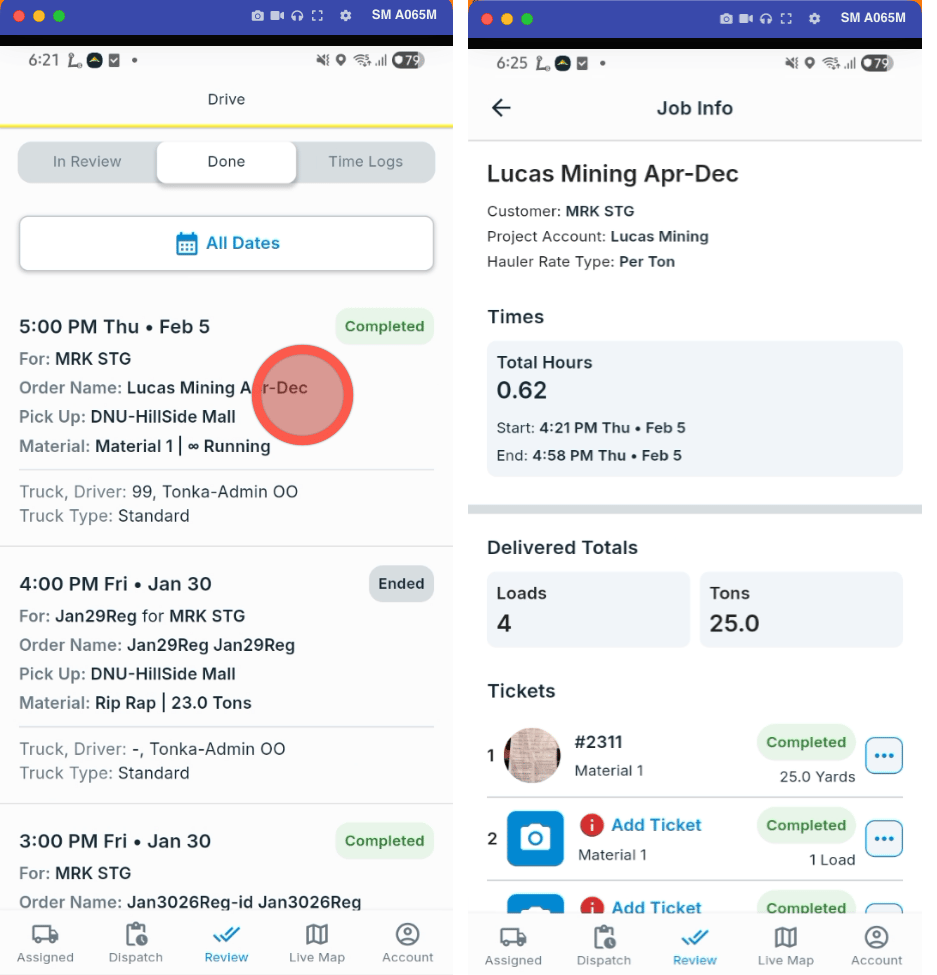
Open the History page
Sign in to the Tread app (link.tread.io/app). Tap History — the clock icon in the bottom menu. The page has three tabs: In Review, Done, and Time Logs.View past shifts
1
Open the Time Logs tab
Tap Time Logs. Each row is one shift, with total hours, loads, tickets, and approval status.
2
Open a shift
Tap a shift to see its Past Logs. This shows start and end times, break time, timesheets, and the completed work on each dispatch.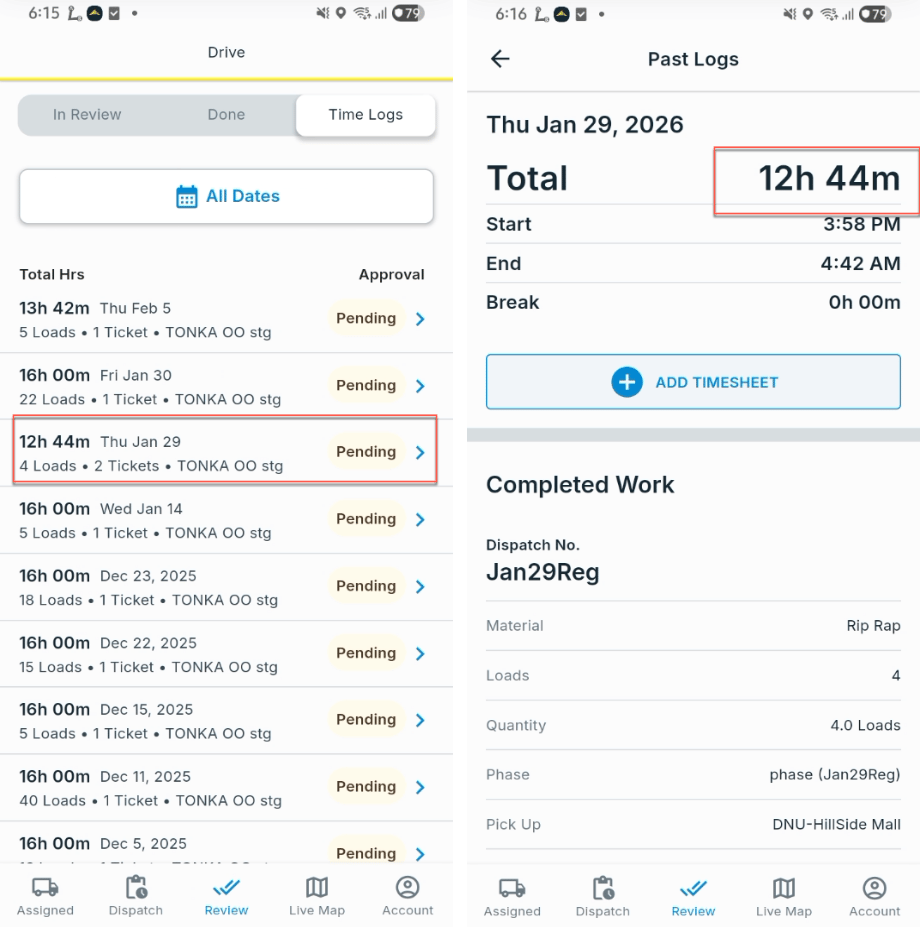
View completed dispatches
1
Open the Done tab
Tap Done. Completed and canceled dispatches appear as cards. Use All Dates to filter by date.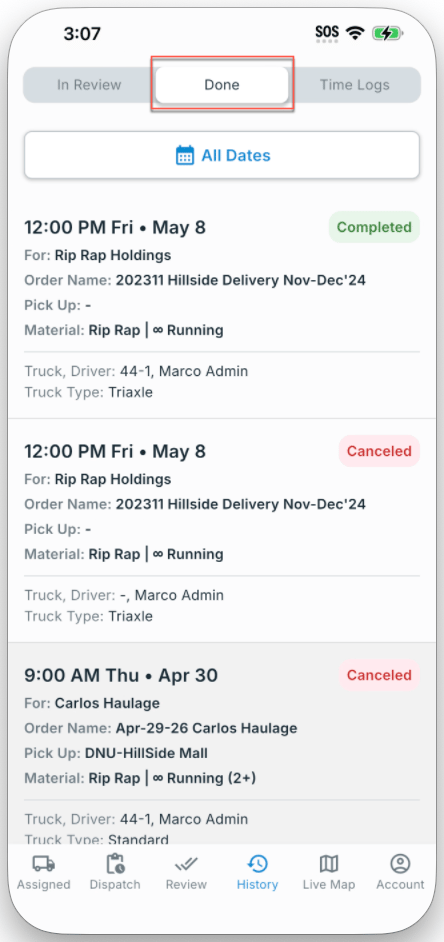
2
Open a dispatch
Tap anywhere on the dispatch card. Job Info shows hours, delivered totals, and every ticket and document on the job.