

Reviewing a Shift
- Navigate to Approvals → Approve Work.
- Filter to the date you want to review.
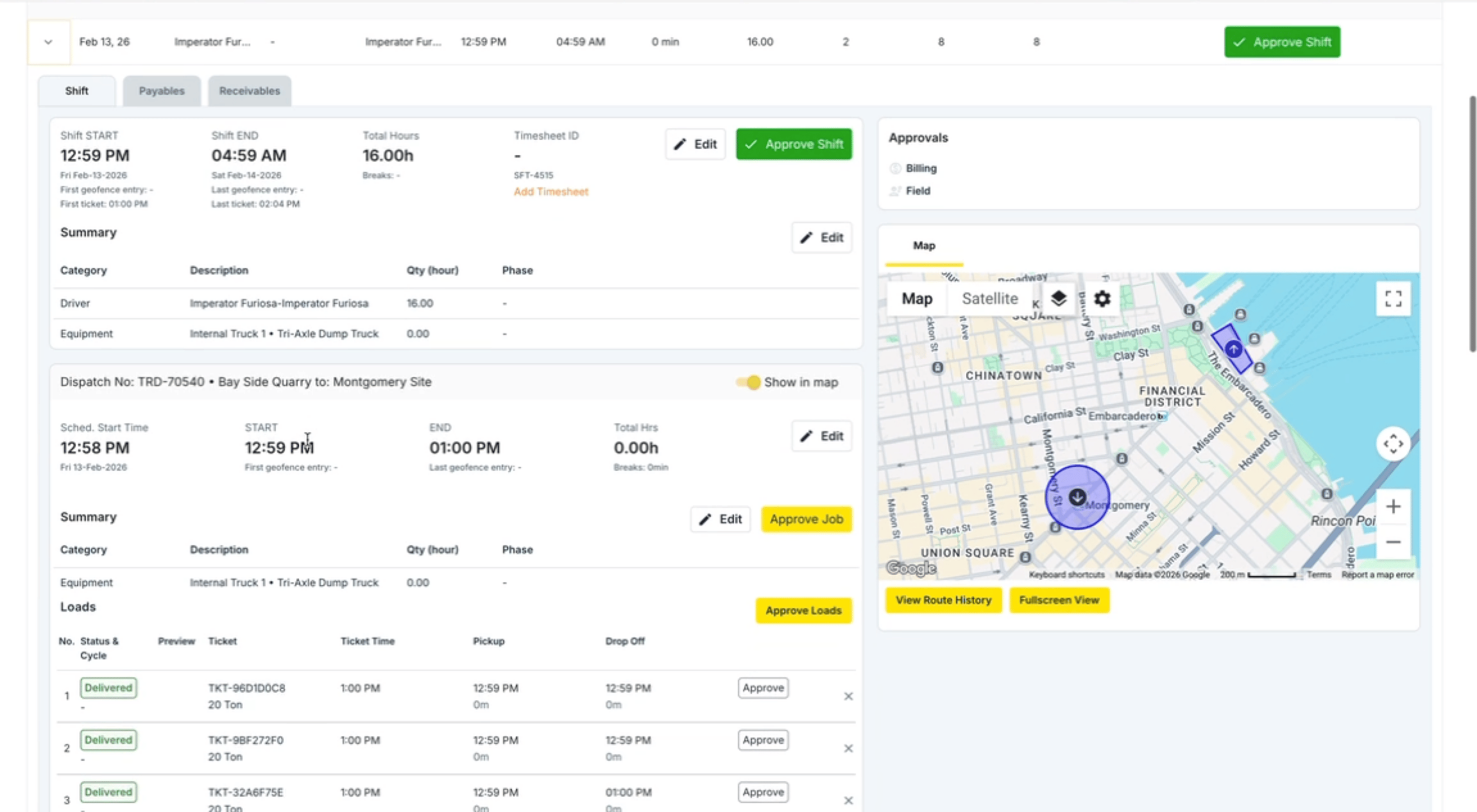
- Each shift entry shows the driver’s start time, end time, and all jobs completed during that shift.
- If any times need to be corrected, click into the shift to edit the shift times, such as Clock in time or the times on individual jobs.
- Once everything looks correct, click Approve Shift.
Bulk Approving Shifts
If multiple drivers need to be approved for the same day, you can click Approve Shift on each driver one by one down the page. Use the date filter to make sure you are reviewing the correct day.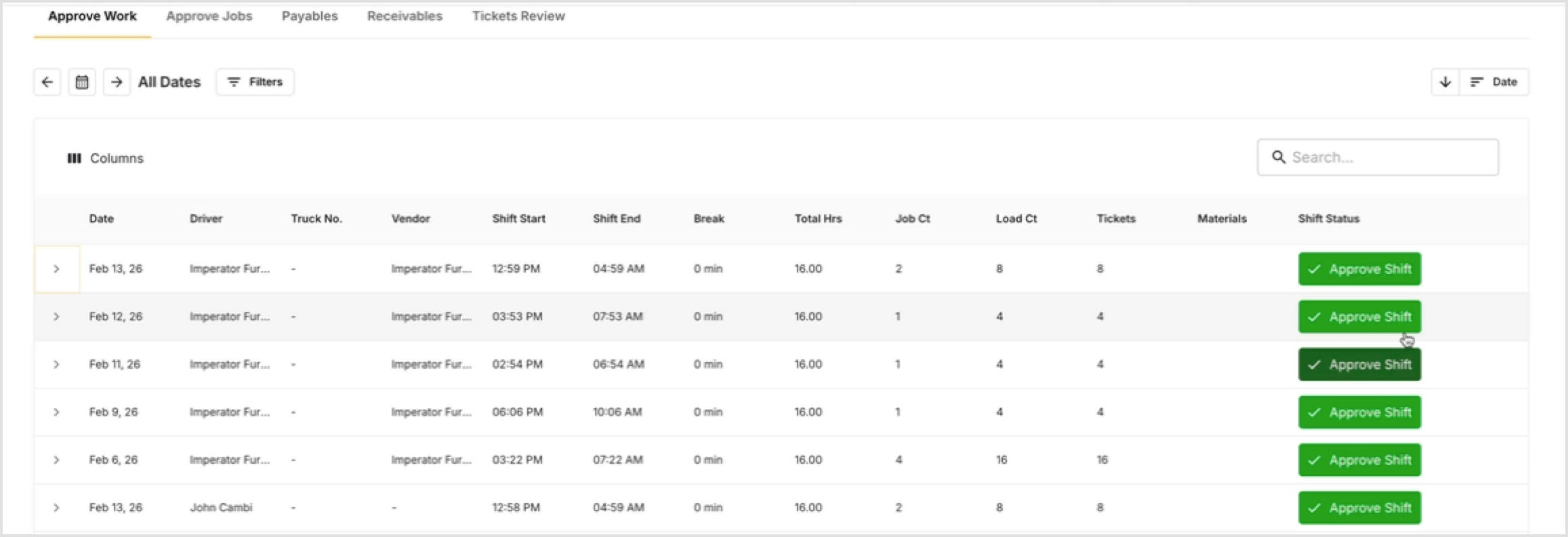
Shifts Not Yet Completed
If a driver has not ended their shift, the shift will appear as incomplete and cannot be approved until it is closed.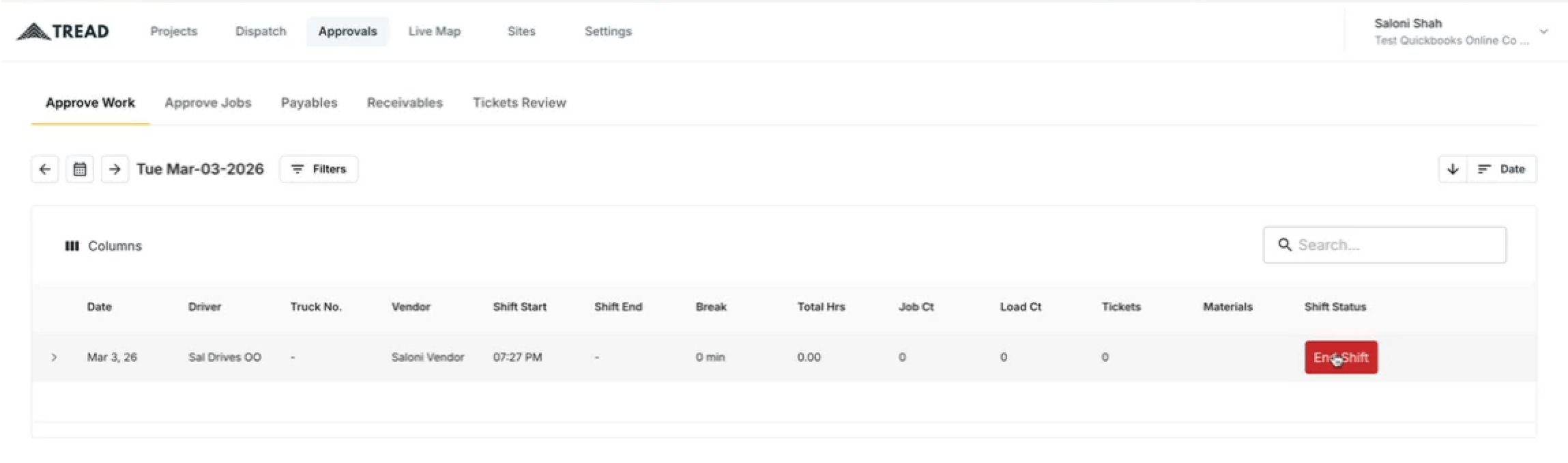
- Only certain user roles have permission to end a shift on a driver’s behalf.
- Once the driver ends their own shift, it will appear as ready for approval.
Watch it
Let us show you how:
Questions? We’re here to help! Contact us anytime at 1 (888) 558-7323 or email us at support@tread.io