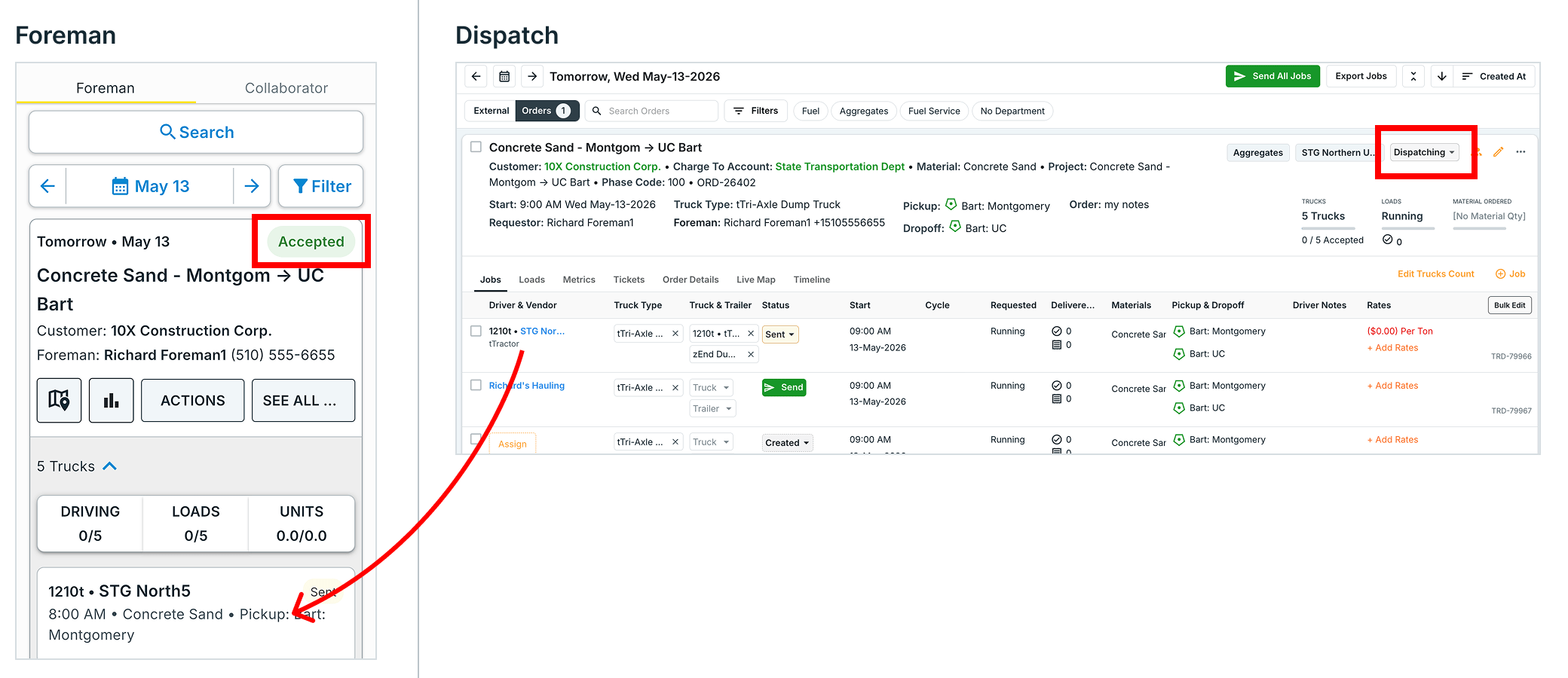
Open New Order Form
- Open the app. You should be on the “Assigned” tab.
- Press + NEW ORDER
- Select an Order Type
- Trucking = Request a number of trucks (e.g. 5 trucks on May 20)
- Equipment Moves = Heavy equipment haul
- Service = Order a single truck for a service (e.g. Water, Fuel)
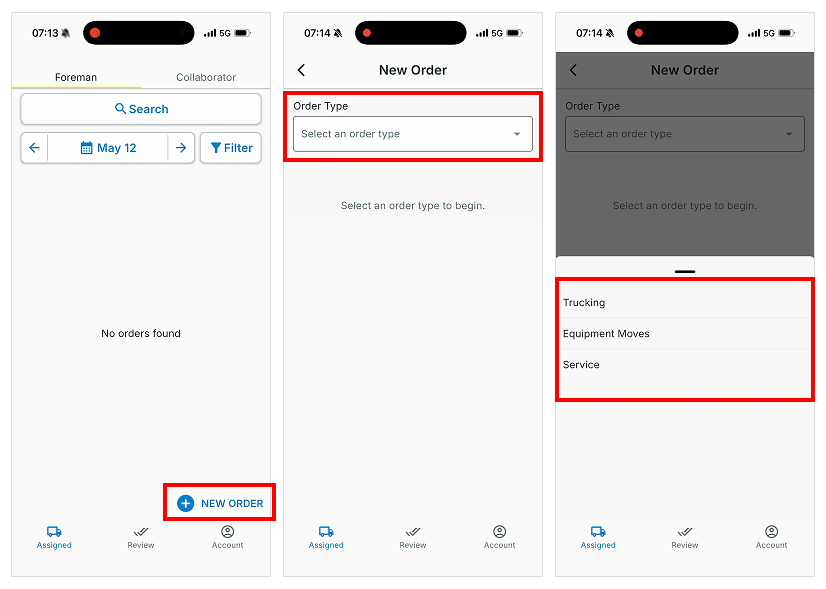
Enter form details
- Fill in the form
- Key fields
- Project = The project this order is for
- Pick up / Drop = Where the trucks should load and unload
- Unit - What are you requesting? The options are:
- Truck - Request a number of numbers
- Ton - Request specific tonnage
- Load - Request specific number of loads
- Charge to Account = Company who should be charged for this order (invoice)
- Press CREATE when you’re done
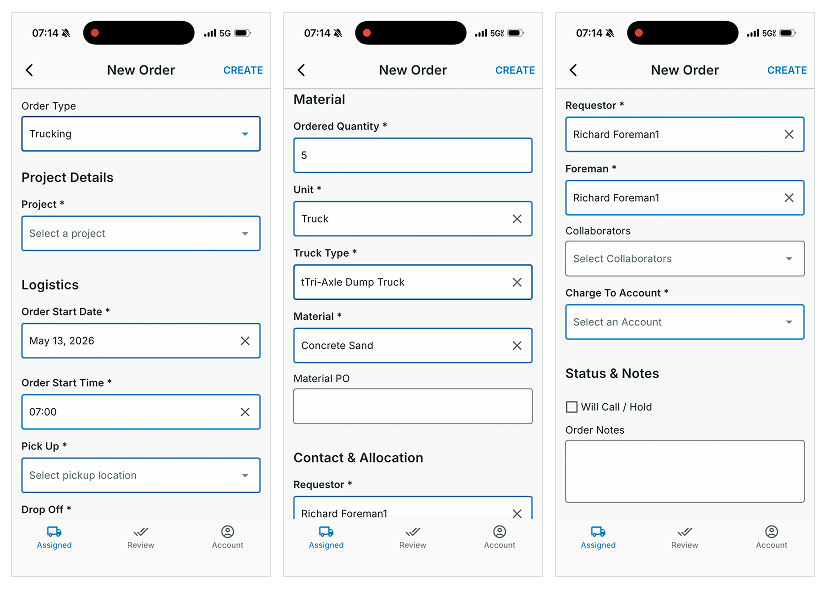
Dispatch accepts or rejects the order request
- The newly created order will be in a “Pending” state.
- Exception: If order is created on Hold, the order will be set in the Hold state and be found in the “Orders” tab.
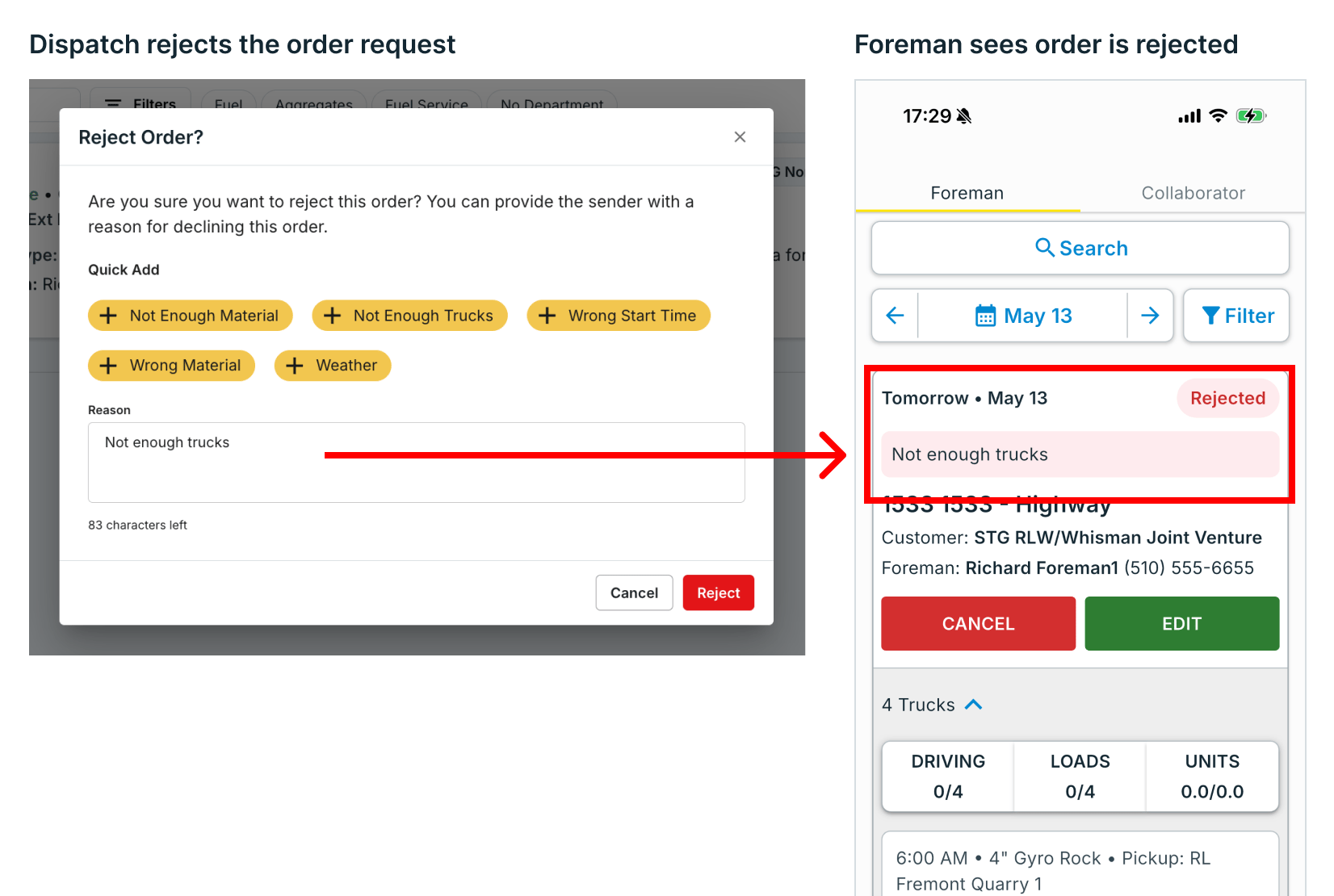
- Dispatch can find this order in the “External” tab. They can Accept, Reject, or Cancel the order request
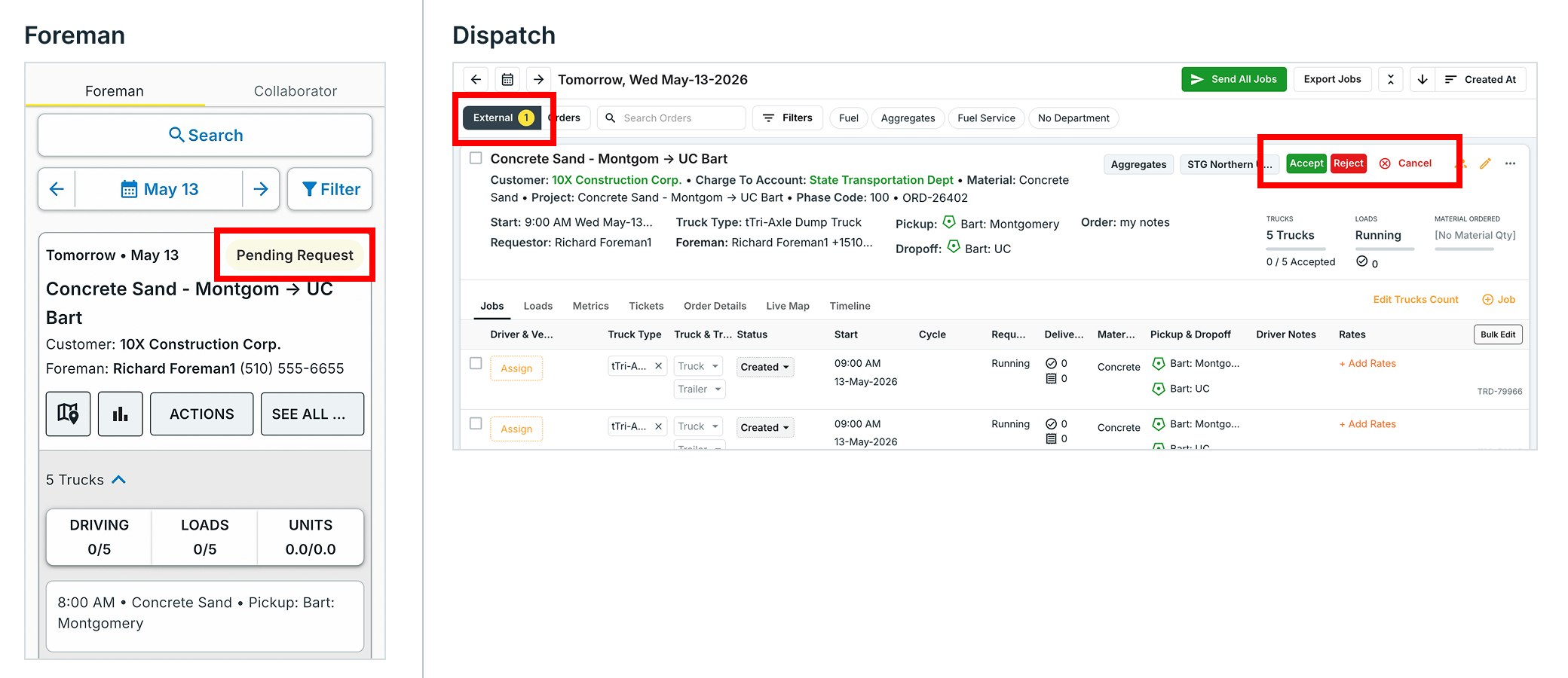
- Dispatch can click “Reject” to decline the order and provide a reason. The foreman will see their order is rejected and the reason for rejection.
- Foreman will see if Dispatch has accepted the order and assigned drivers or vendors. Foreman will also see the assigned drivers.