

How it works
A quote is a Project in the Quoted state. You build it the same way you’d build any project — customer, site, equipment, materials — then generate a PDF to share instead of dispatching it right away. When the customer accepts, that same project moves to Active and runs as live work. Nothing gets recreated.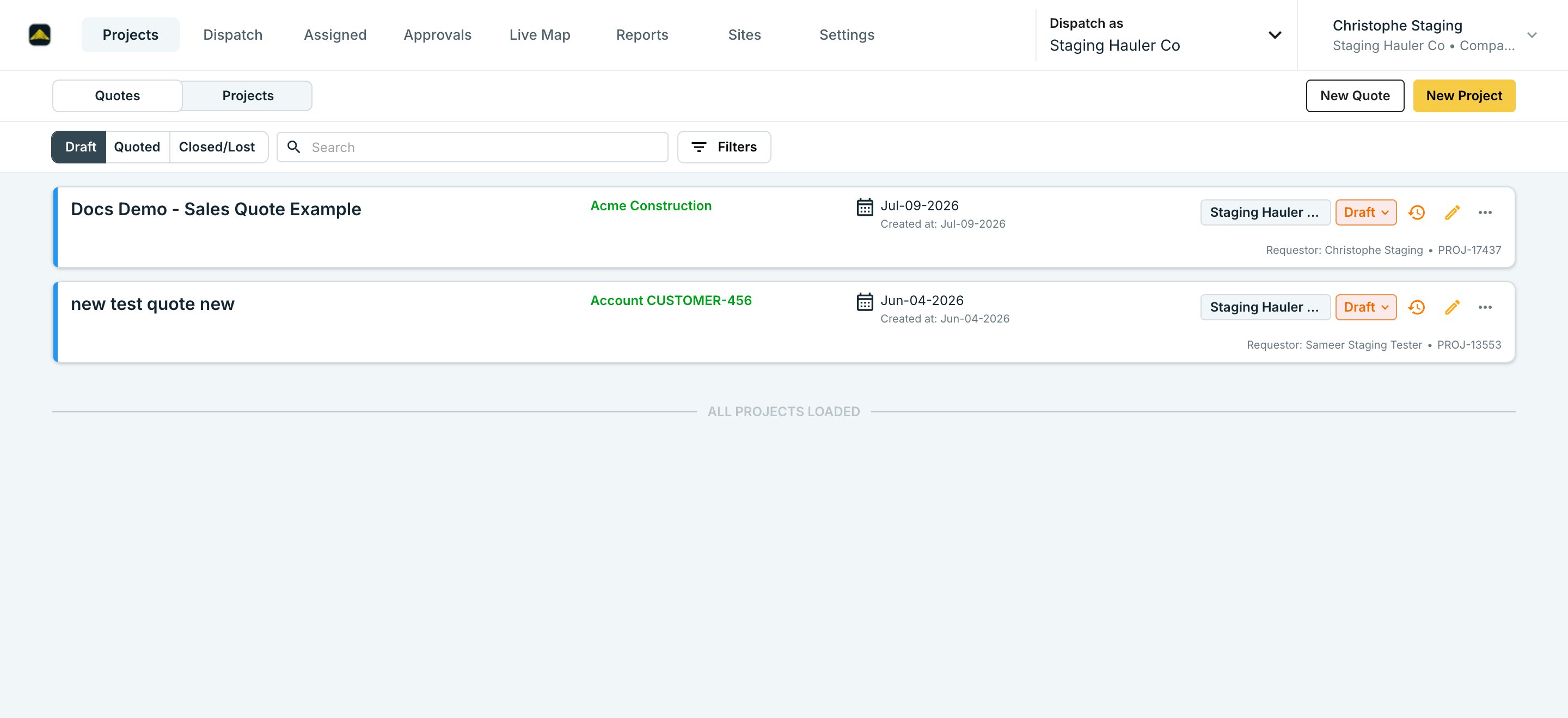
1
Start the project as a Draft
Click New Quote and fill out the project like you normally would. It saves as a Draft — a draft never dispatches or bills, so it’s safe to build out while you’re still pricing the job.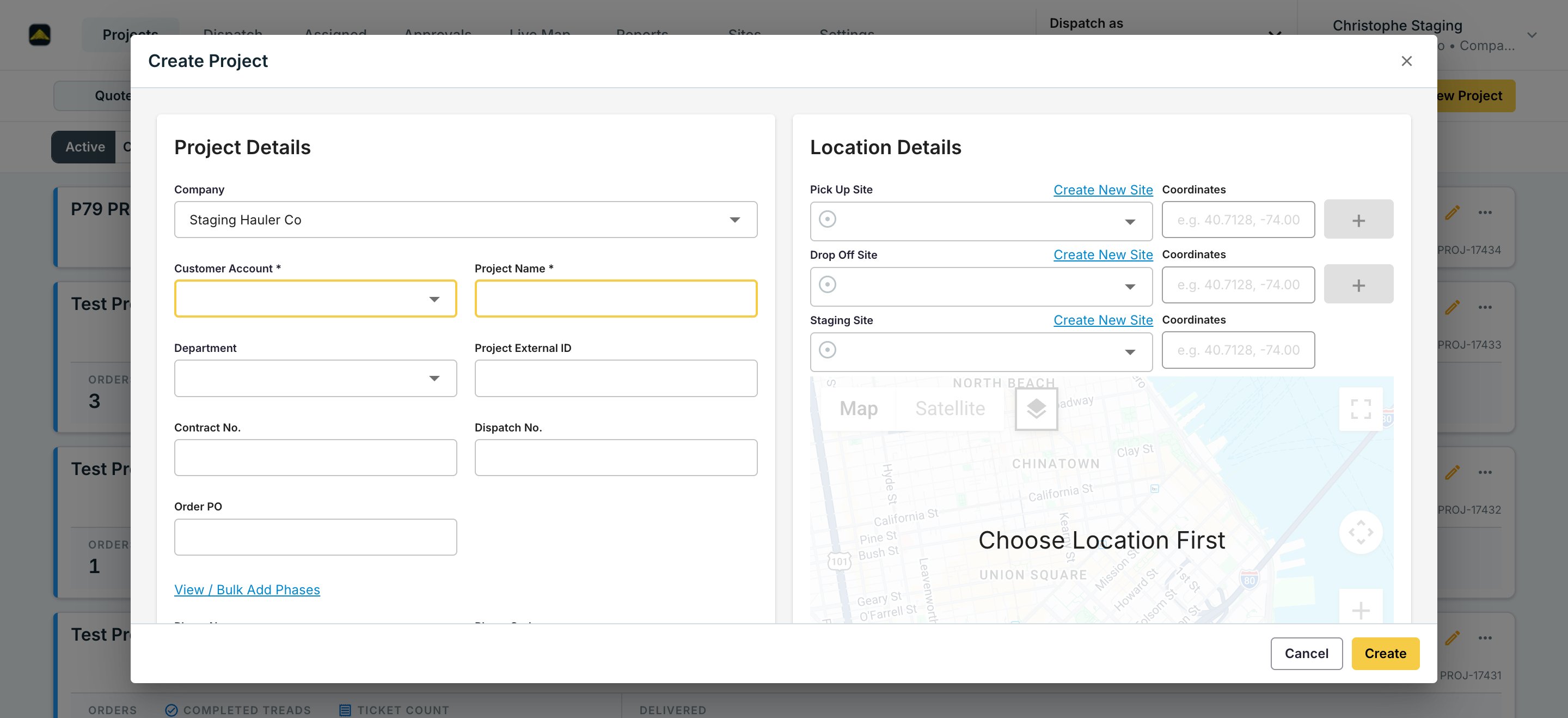
2
Price it from Project Rates
Rates set up under Project Rates — by lane, equipment type, and material — carry straight onto the quote. You don’t re-enter pricing by hand.
3
Move it to Quoted
Click the project’s state chip and choose Mark as Quoted once it’s ready to share with the customer. This is the same record moving to a new state, not a copy.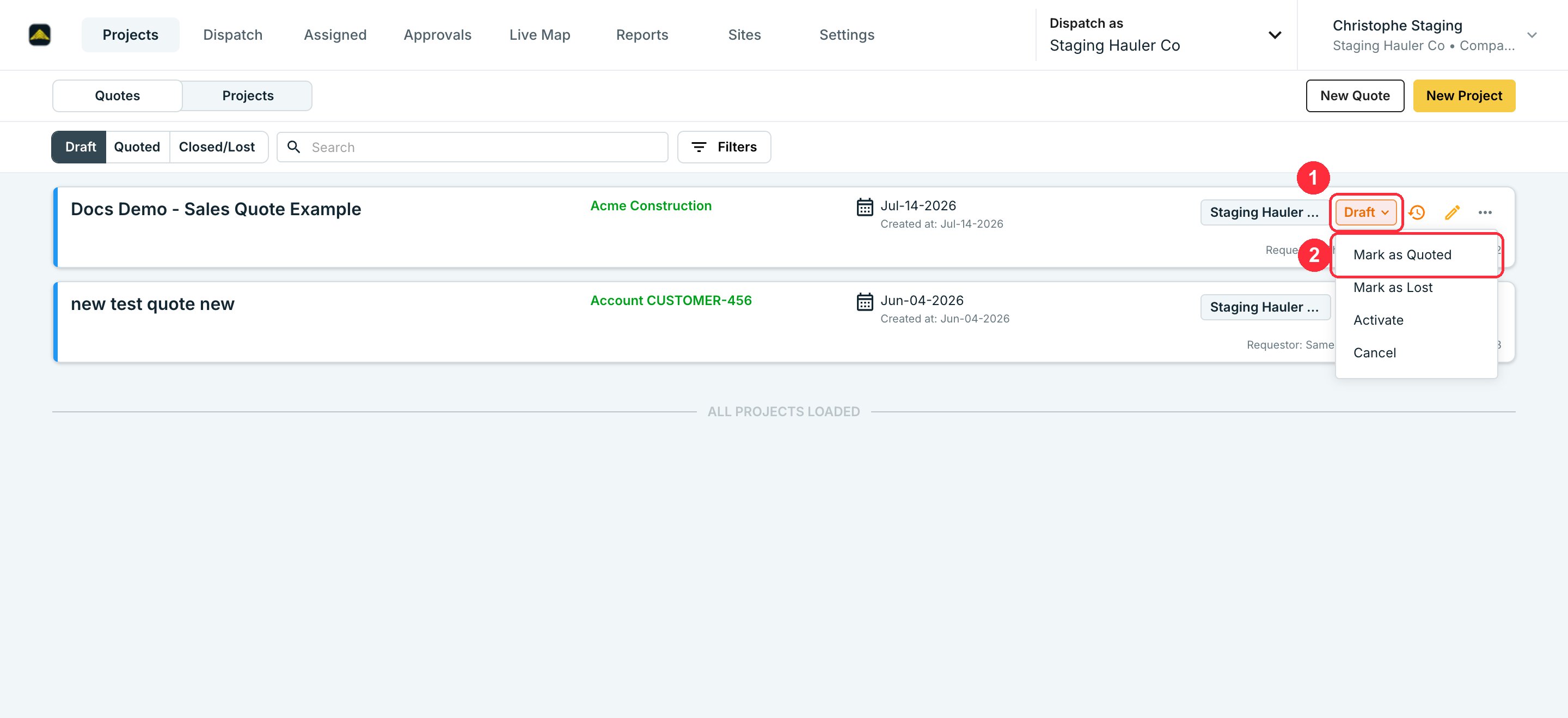
4
Generate the quote PDF
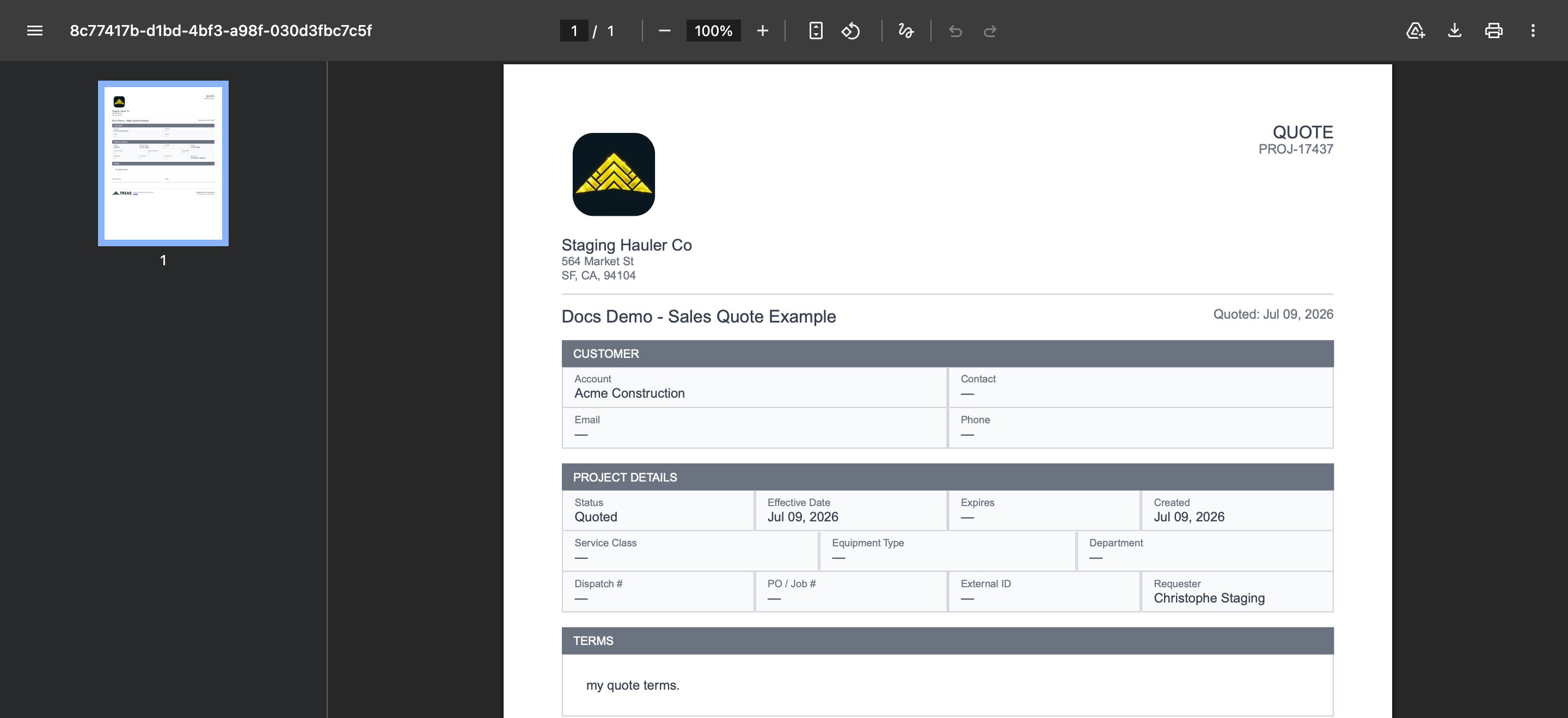
Open the project’s action menu and choose View PDF. Tread builds the PDF in your browser with your line items, rates, and quote terms already on it.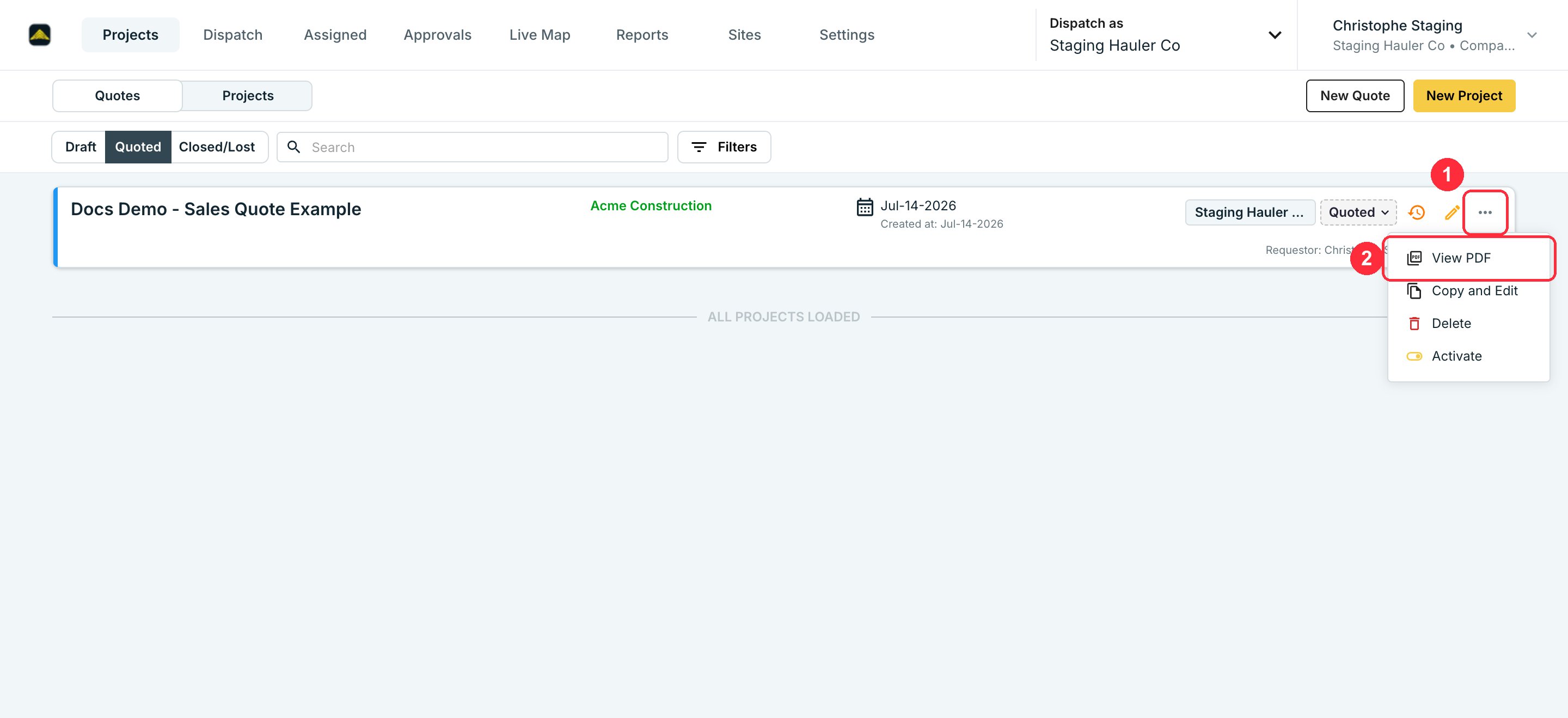
5
Send it to your customer
Download the PDF and send it however you send quotes today — email, print, whatever your process is. Tread doesn’t email it to the customer for you yet; see Limitations below.
6
Close it out
If the customer accepts, activate the project — it starts running as live work with the same data, no re-entry. If they decline, mark it Lost.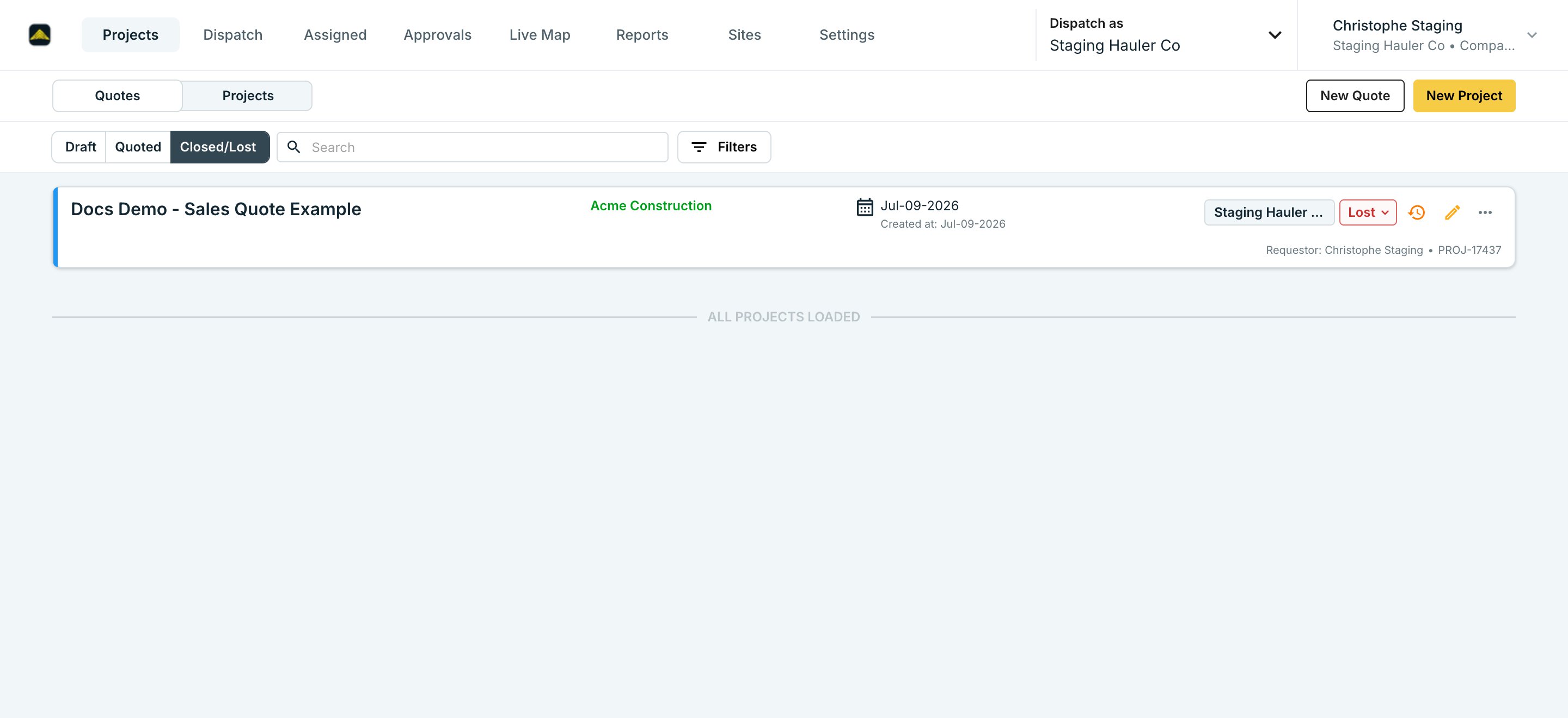
Quote states
Quote terms
Set default terms once under Settings → Configuration. Every quote uses them unless you override the terms on that specific project. The PDF renders your terms and an acceptance signature block.Limitations
- No email-send from Tread yet. Download the PDF and send it yourself — in-app send-to-customer is planned but not live.
- Line-item pricing only. The PDF shows rates by lane, equipment type, and material. There’s no single blended “delivered price” line if that’s how you price a job.
- No digital acceptance. A customer can’t accept by clicking a link in an email. Activate the quote in Tread yourself once they’ve said yes.
Related
- Project Rates — the pricing a quote pulls from.
- Create a Project, Order, and Dispatch — what happens once a quote goes active.
- Orders & Projects — the data model a quote lives inside.