

Before You Start
A job will only appear on the Approve Jobs page once two conditions are met:- The job has been completed
- The order is in progress
Approving a Job
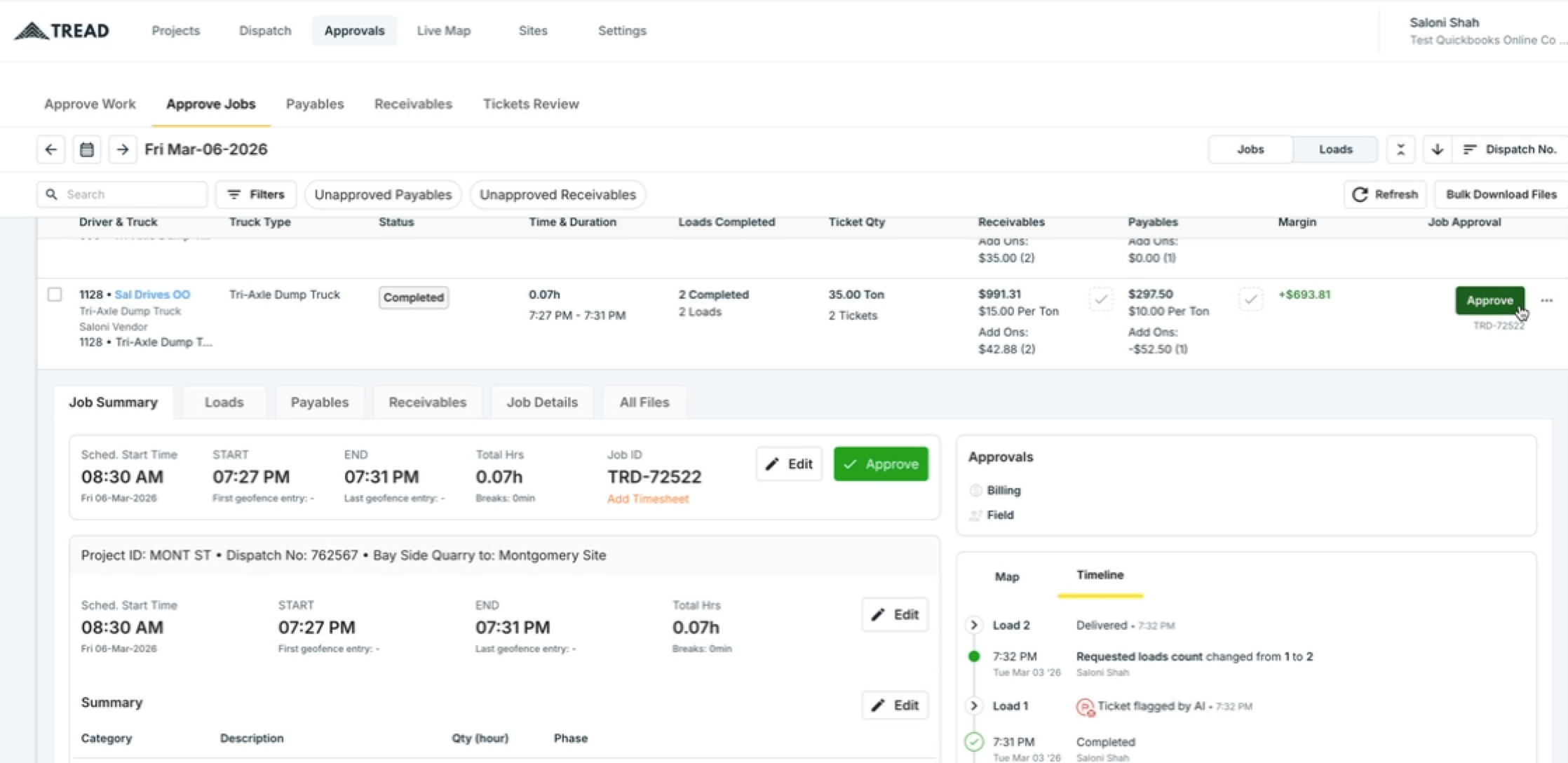
- Navigate to Approvals → Approve Jobs.
- Filter to the date and order you want to review.
- Click into a job to verify the details. From here you can:
- Edit times if any corrections are needed.
- Click View Route History to see how the driver moved throughout the day based on location data.
- Review the Timeline for a full log of all actions taken by the driver, dispatcher, or system.
- Once everything looks correct, click Approve Job.
Bulk Approving Jobs
To approve multiple jobs at once, select all the jobs that need to be approved and click Bulk Approve. This is useful at the end of the day when reviewing a full list of completed jobs.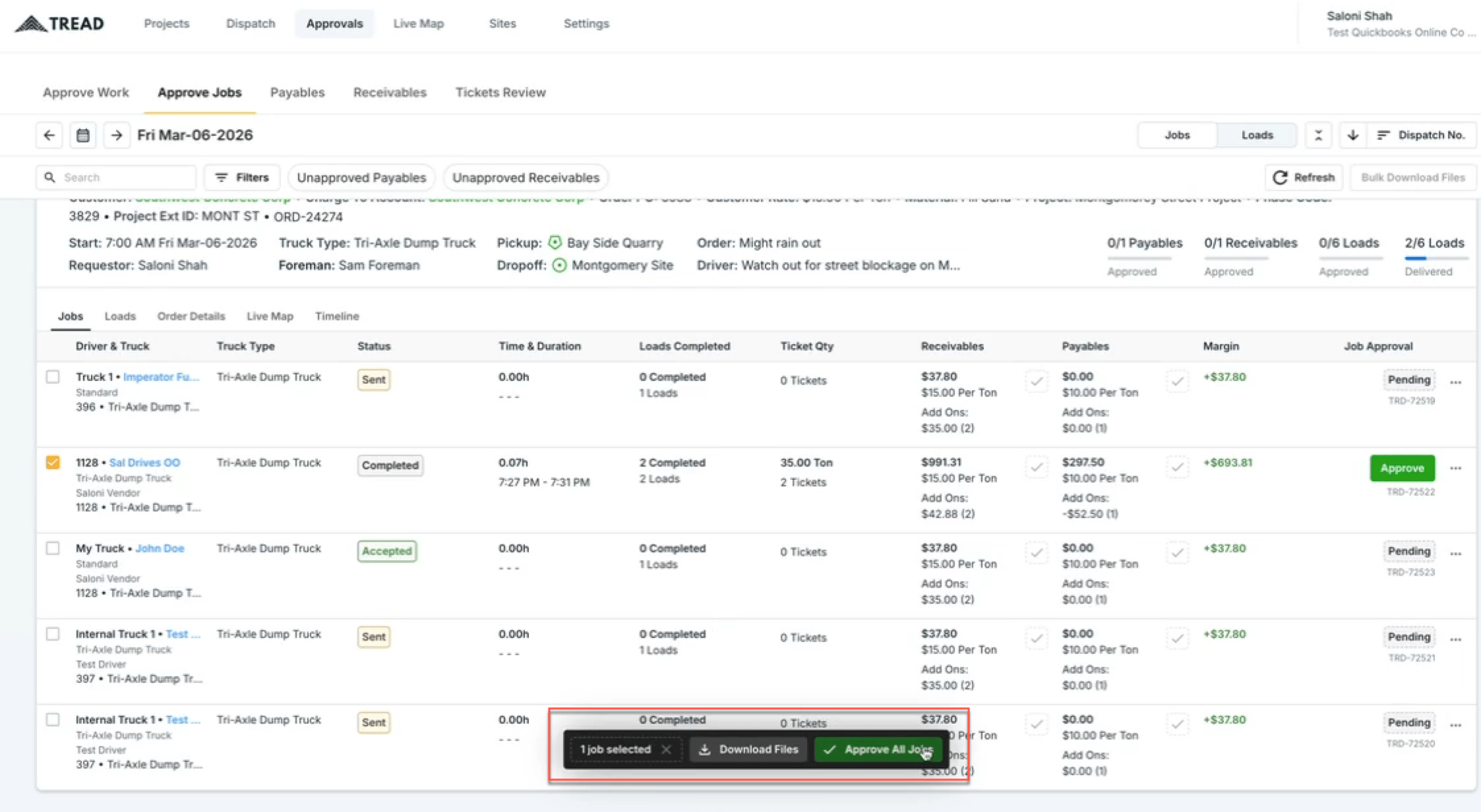
Unapproving Jobs and Loads
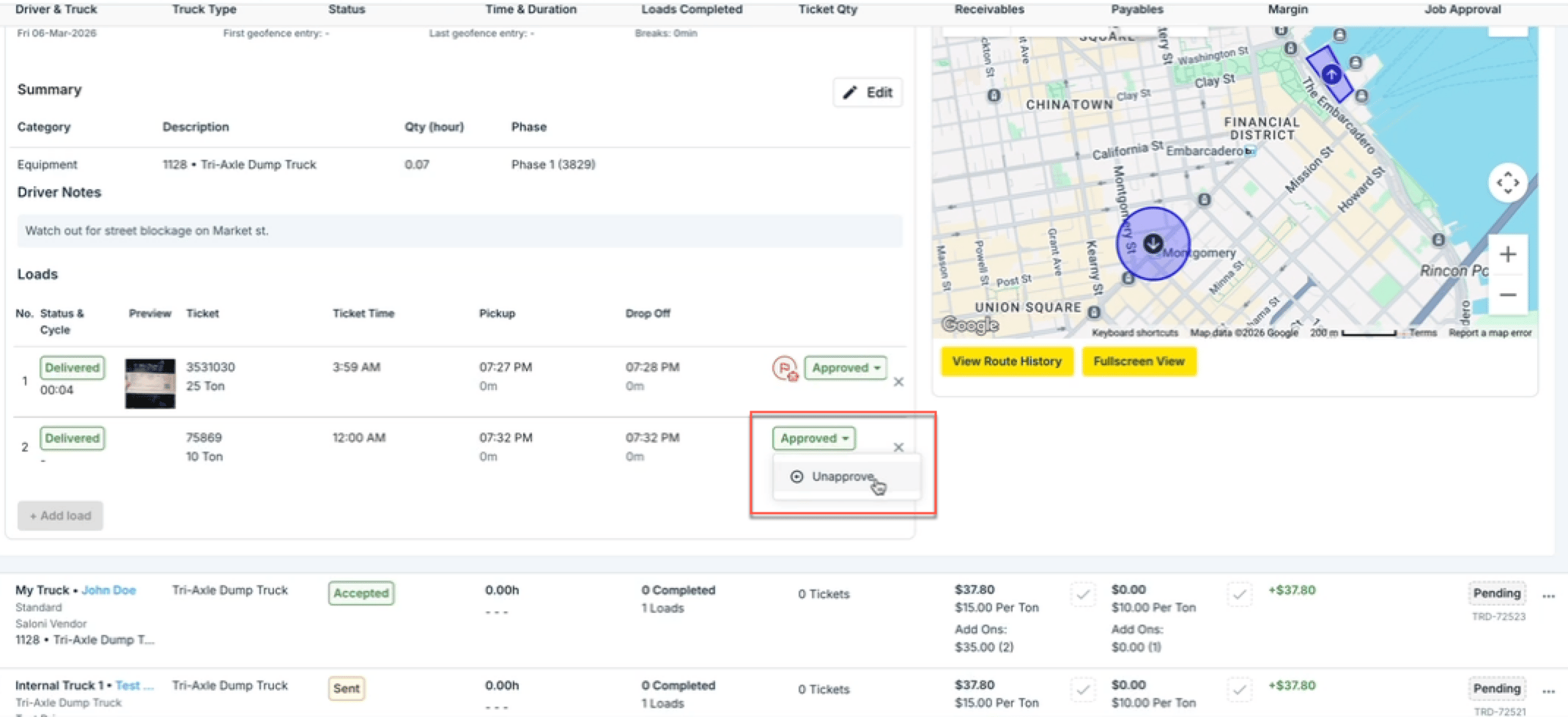
Approvals can be adjusted after the fact if needed:- To unapprove at the load level while keeping the job approved, click the dropdown arrow on the job and unapprove the individual load.
Watch it
Let us show you how:
Questions? We’re here to help! Contact us anytime at 1 (888) 558-7323 or email us at support@tread.io