

What you’ll do
Add every Vendor — an account you send dispatches to, instead of assigning your own Driver. That covers brokers, outside haulers, and Owner-Operators (O&Os).Before you start
- A vendor list with company name, address, primary contact name, email, and mobile phone.
- Decide which vendors are O&Os — an O&O is a Vendor with a single Driver, dispatched directly as a Shared Driver.
- Vendor addresses are required if you want them to appear on PDF settlement statements.
Walkthrough
1
Create the account
Open Settings → Vendors and click Create Account. The Account Type is set to Vendor. If the vendor already runs Tread, use Connect instead — see Connected Ecosystem.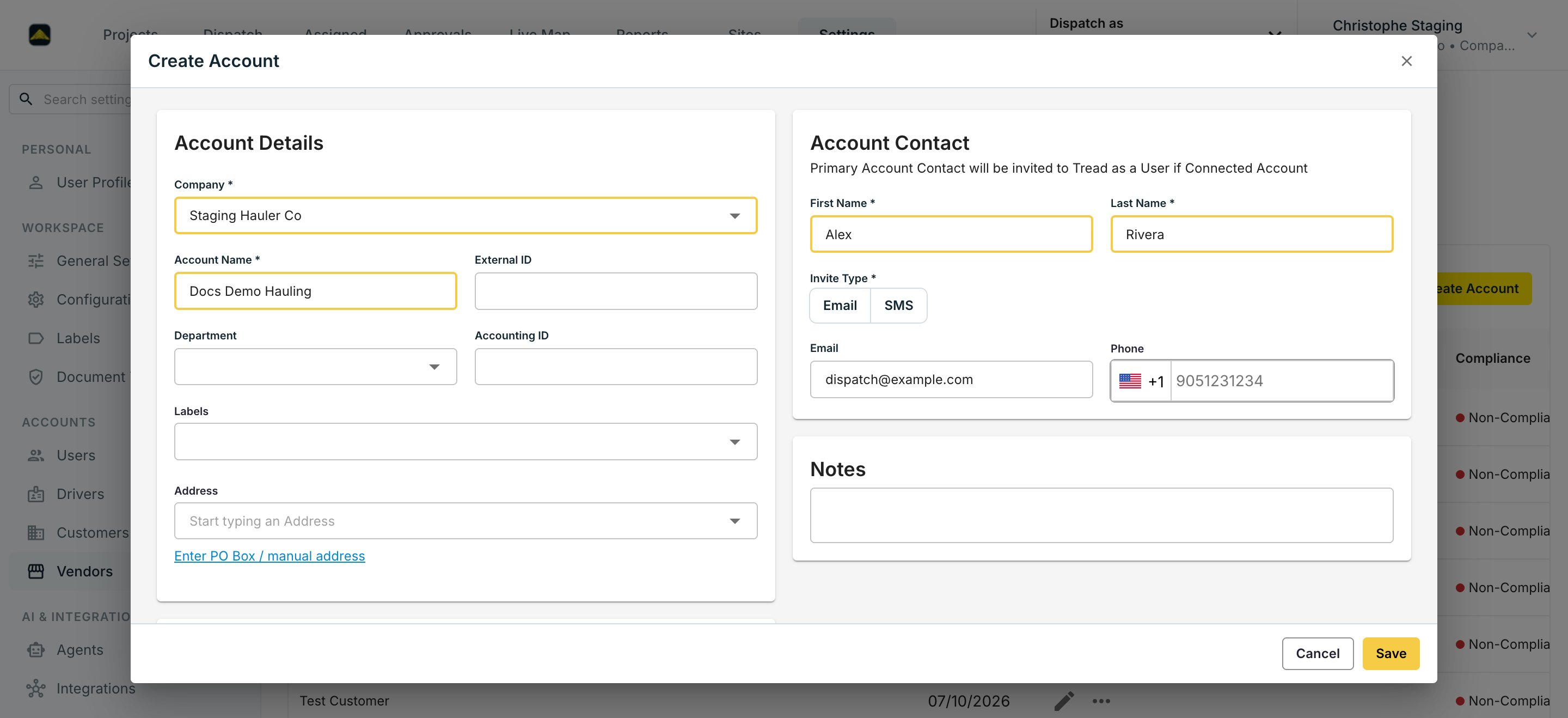
2
Enter account details
Fill in the Account Name, address, and — if you export to accounting — the External ID and Accounting ID. Accuracy matters here: this data prints on settlement statements and exports to accounting.
3
Set the Company Type
Pick Broker, Contractor, Hauler, Owner Operator, or Producer. Pick Owner Operator for a single-Driver vendor you dispatch directly — the form says it plainly: “Select O&O to direct dispatch.” Two Vendor Settings live here too: restrict the vendor’s equipment options for dispatch, and allow the vendor to split jobs.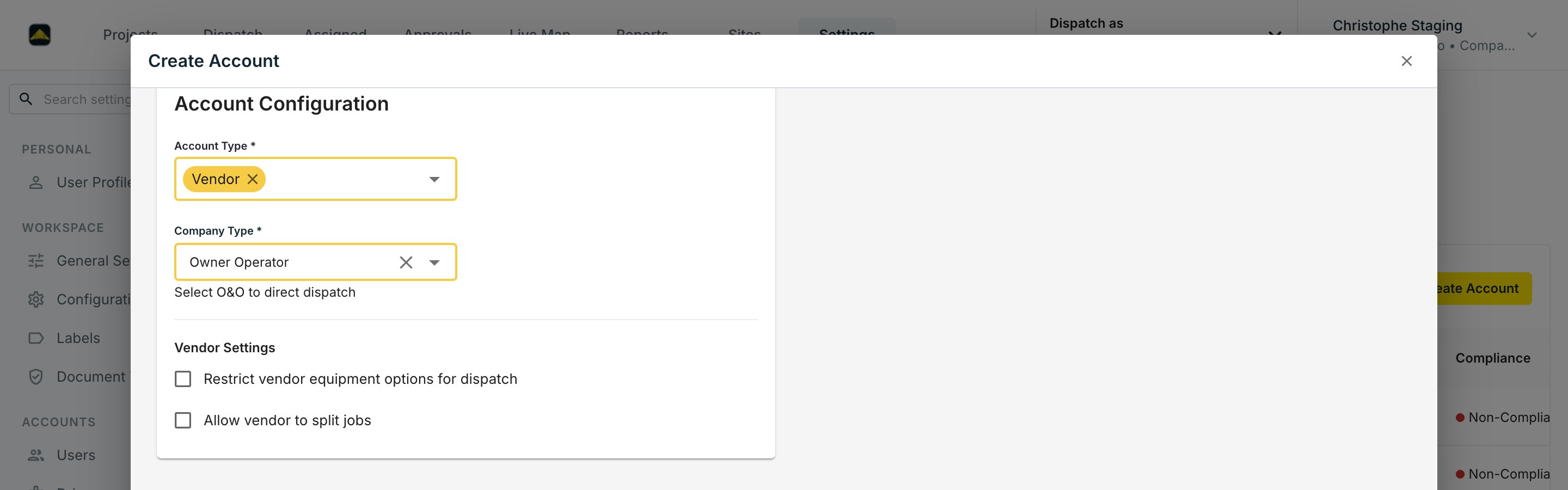
4
Add the Primary Account Contact
Enter the contact’s name and pick an Invite Type (Email or SMS). If the account is connected, this contact is invited to Tread as a User — use a real email or mobile number.
5
Share equipment they'll use
From Equipment, share each truck the vendor runs to their company. They see it, you keep ownership.