

1
Find the vendor and click MANAGE
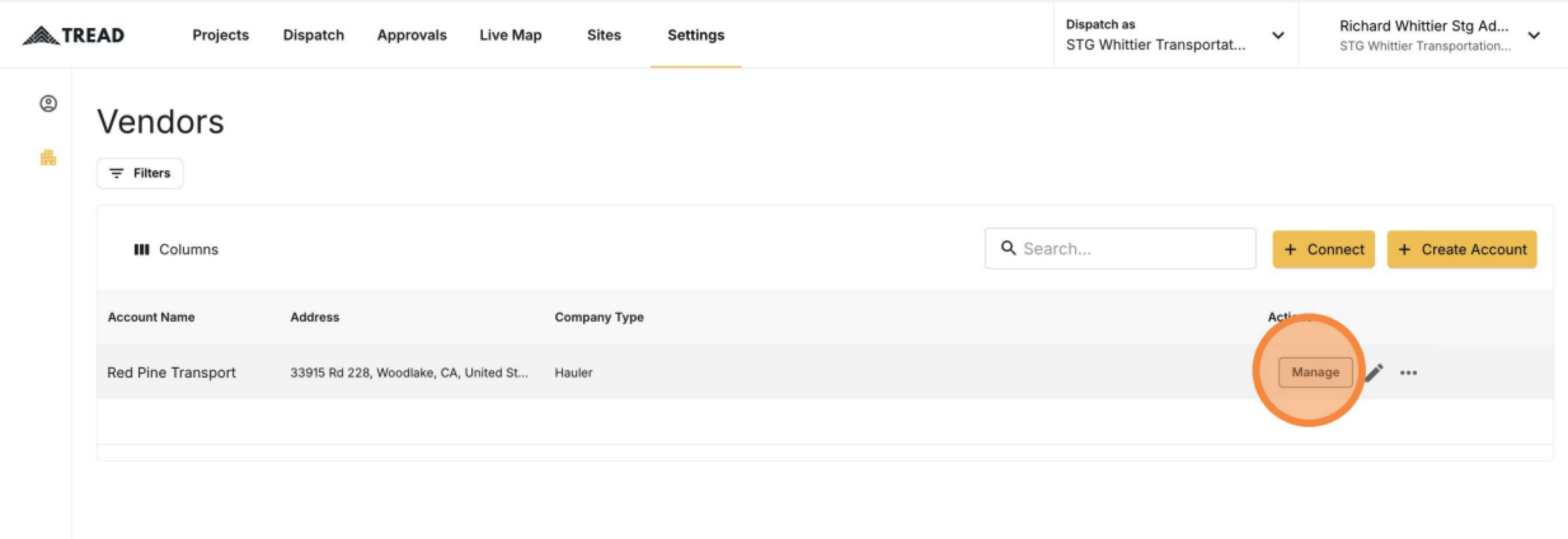
No MANAGE button? Email support@tread.io with the vendors you need to manage, or ask in the in-app chat.
2
Review the vendor's tabs
You can see the vendor’s Drivers, Equipment, and Users.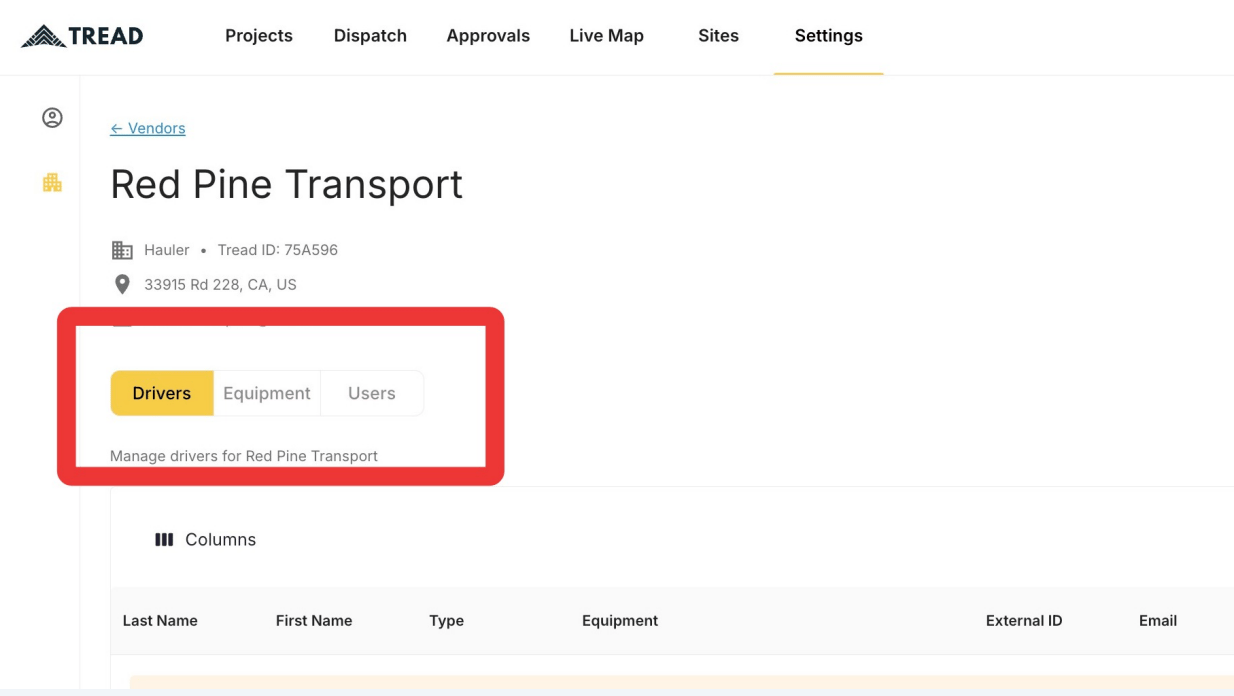
3
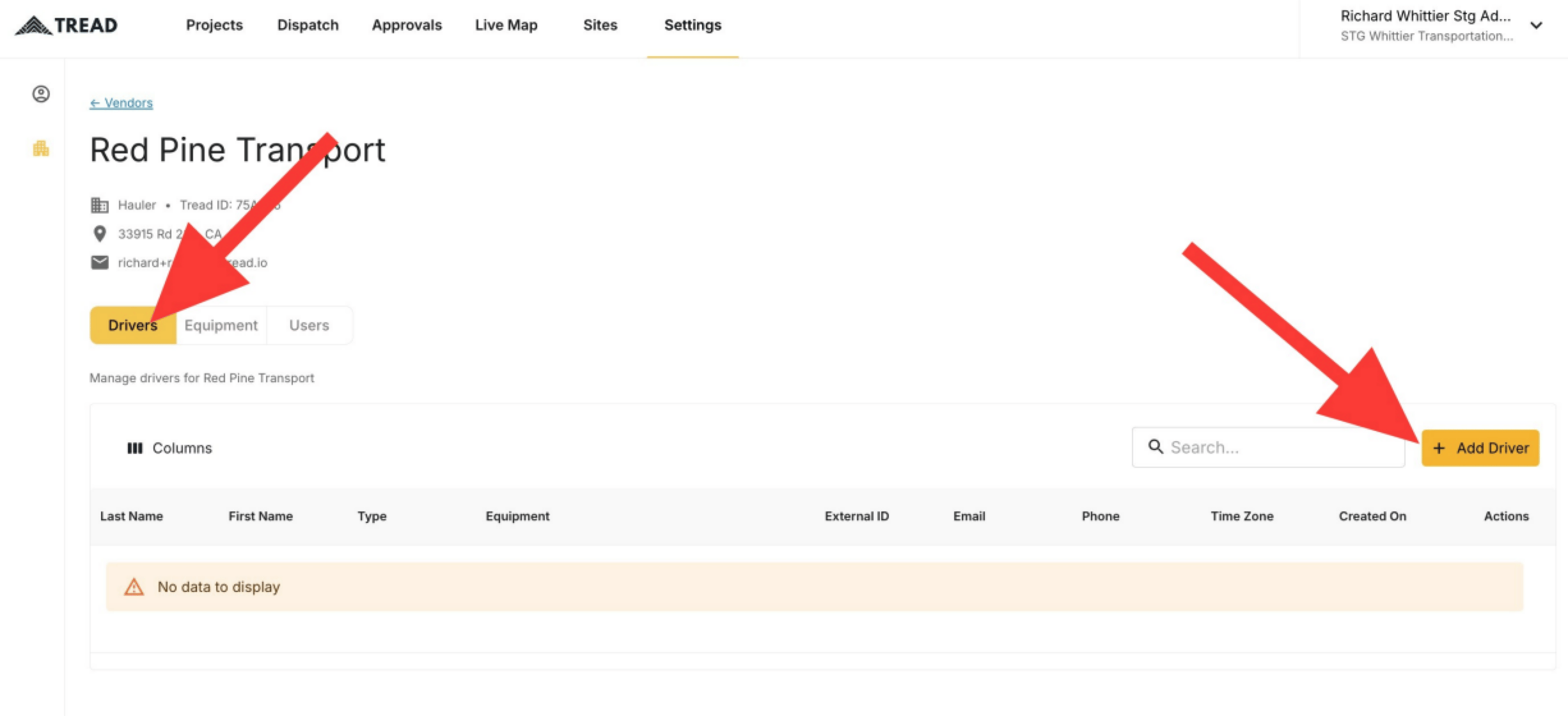
Open the Drivers tab and click + Add Driver
4
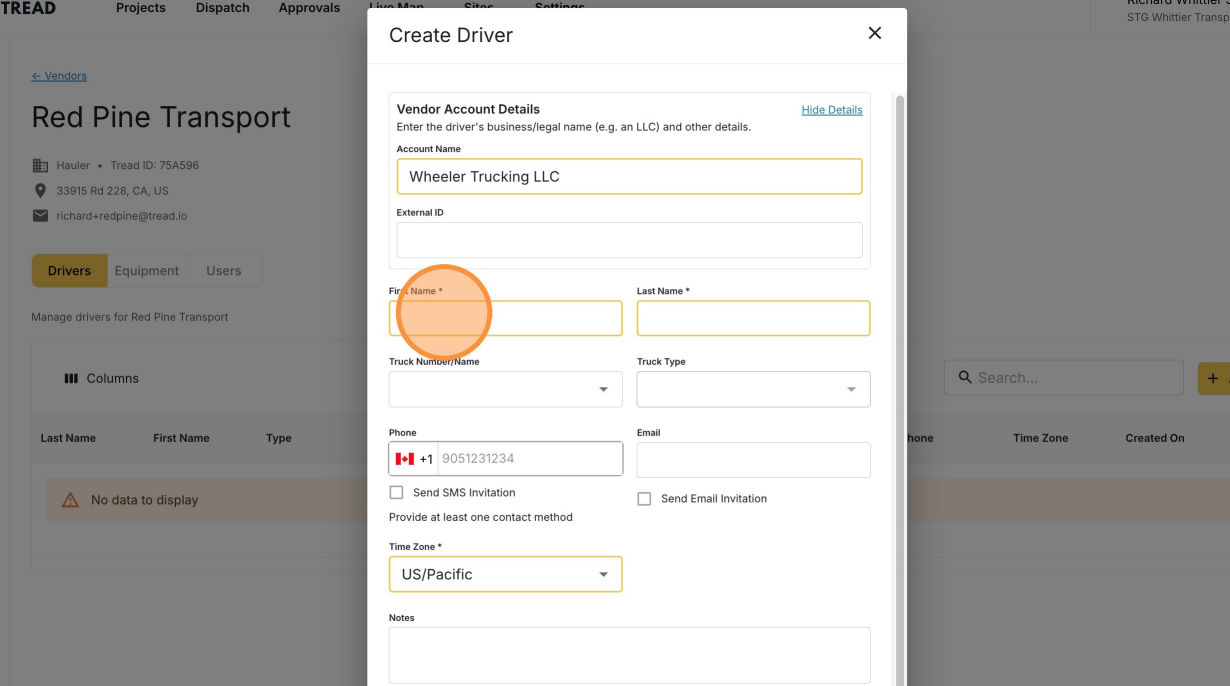
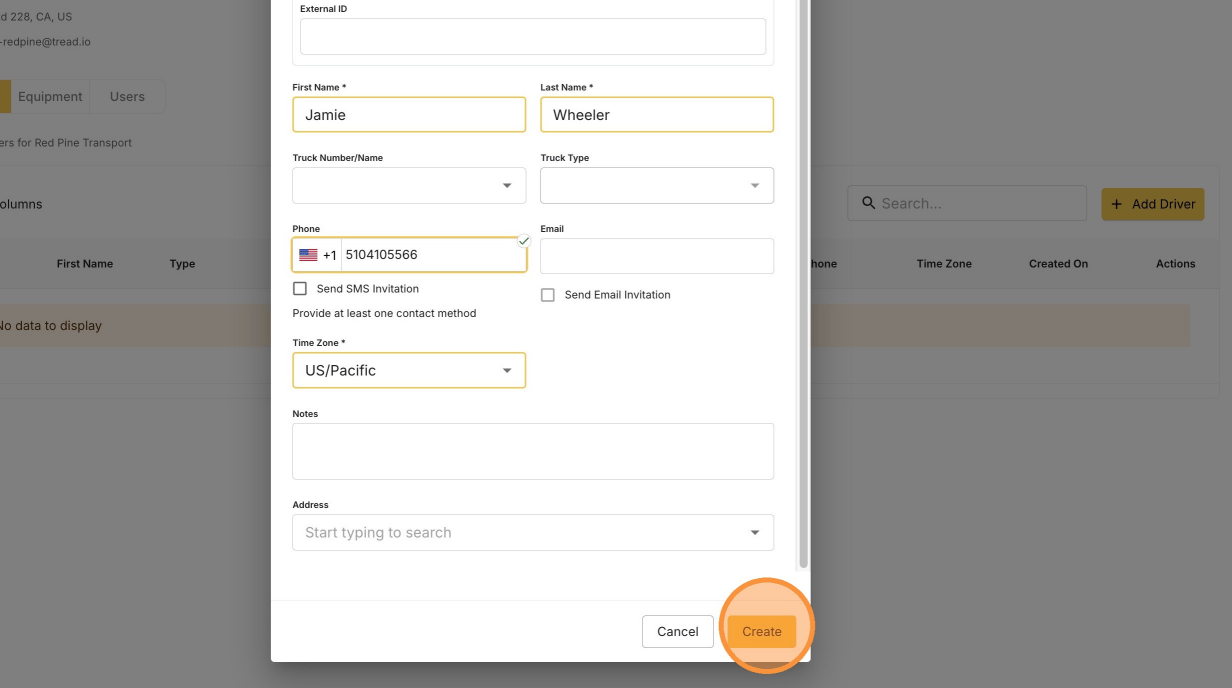
Enter the driver's information
5
Click Create
Common pitfalls
“Phone number already taken” can happen here too. It means that phone number already belongs to a driver record at another vendor or company. Contact Tread support with the driver’s name, phone number, and your company — support links the existing record so the driver keeps one app login. See Driver Lifecycle for the full pitfall.