

A vendor can be a multi-truck hauler, a broker, or a single Owner-Operator (O&O).
Where do I find it?
1
Open Settings → Accounts → Vendors
Find the vendor in the list, then look for a MANAGE button on their row.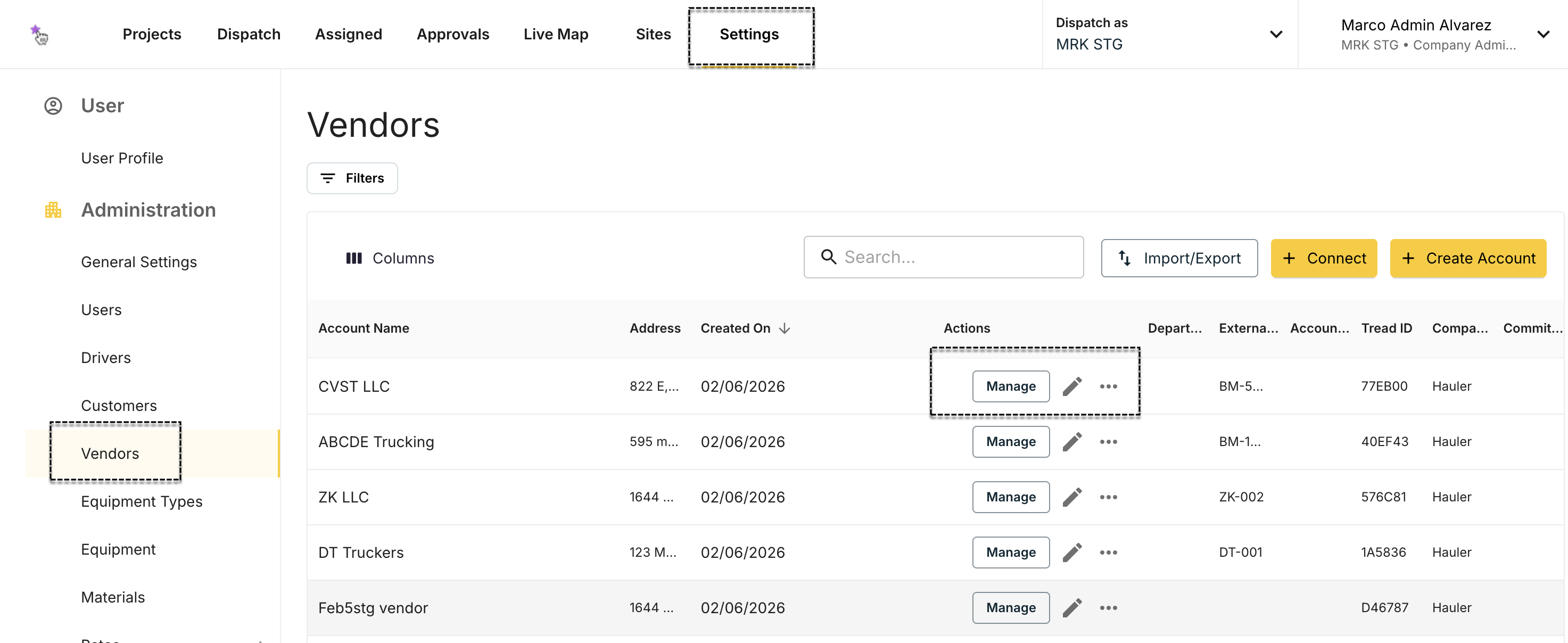
2
Click MANAGE
You land on the vendor’s page. It has three tabs: Drivers, Equipment, and Users.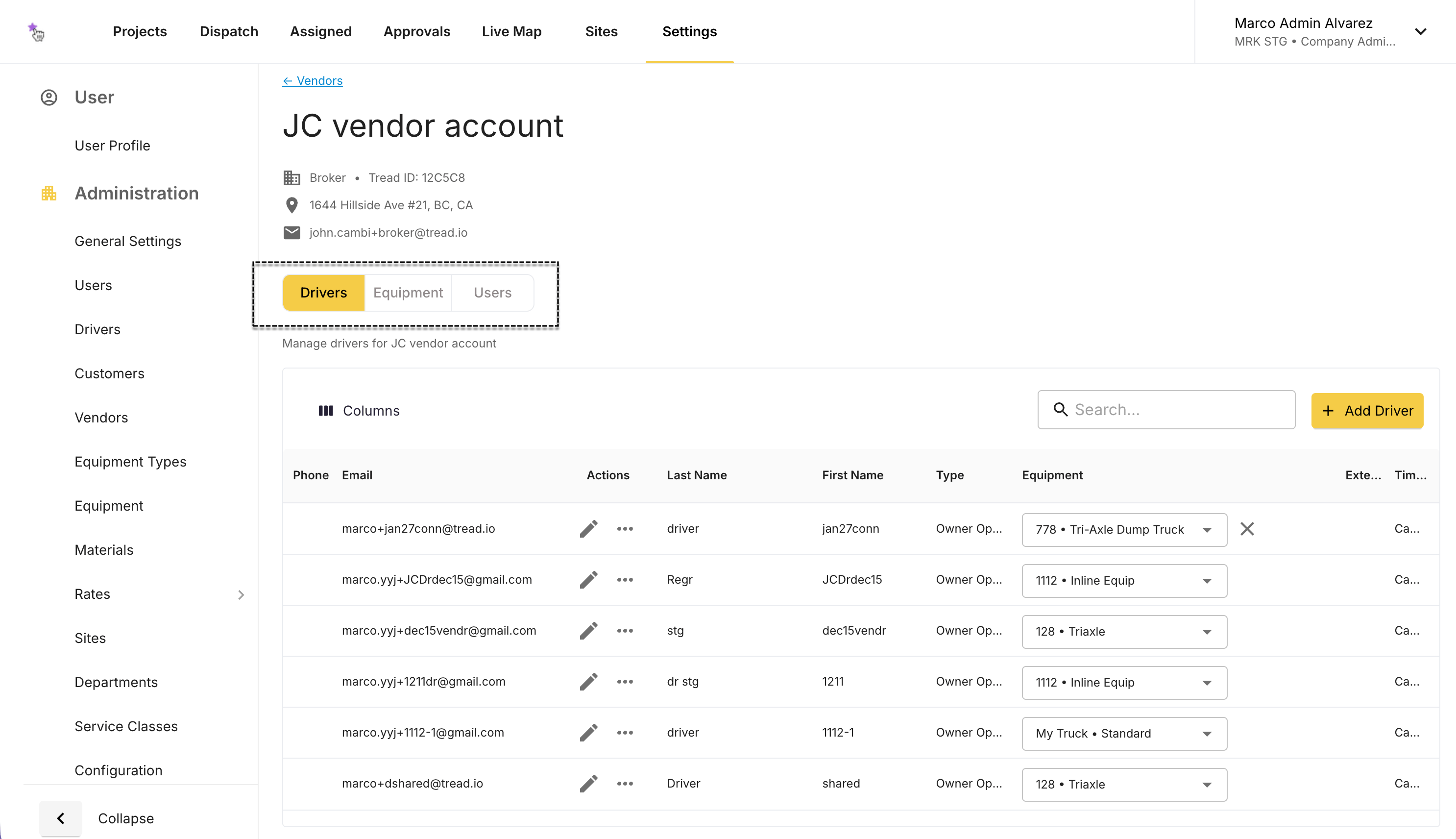
Guides
Create a vendor account
Set up a new vendor from Settings so you can dispatch to them the same day.
Add equipment
Create a truck in the vendor’s account and share it to yourself for dispatch.
Edit & delete equipment
Fix a truck number, or remove a truck the vendor no longer owns.
Add drivers
Give a vendor’s new driver access to Tread.
Edit & remove drivers
Update a driver’s details, or remove one who left.
Enable driver Direct Dispatch
Share a vendor’s driver to your account and assign them jobs yourself.
Manage users
Add, edit, re-invite, or deactivate a user in the vendor’s account.
Can’t find this feature?
If you don’t see a MANAGE button, the vendor isn’t set up for management yet. Email support@tread.io with the list of vendors you need to manage.Related
- Vendors (master data)
- Dispatching to Drivers and Vendors
- Vendors: Adding Drivers & Trucks — for a vendor working in their own account