

Edit a driver
1
Open Settings → Vendors
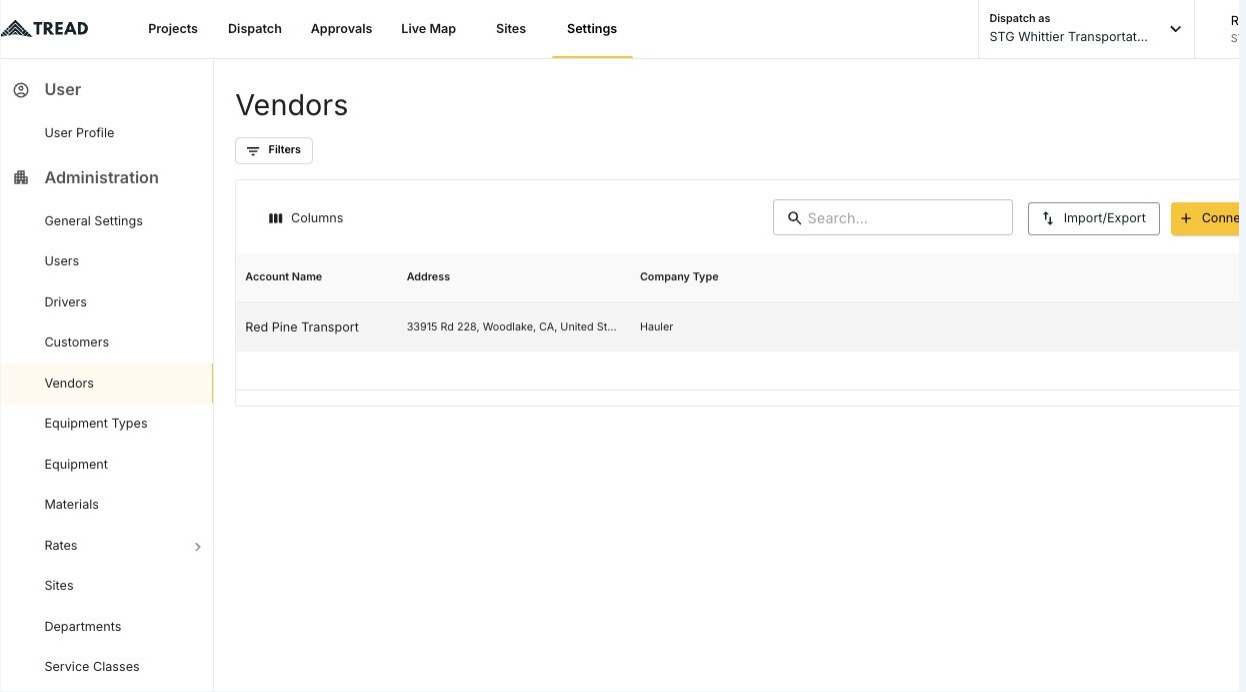
2
Click the MANAGE button
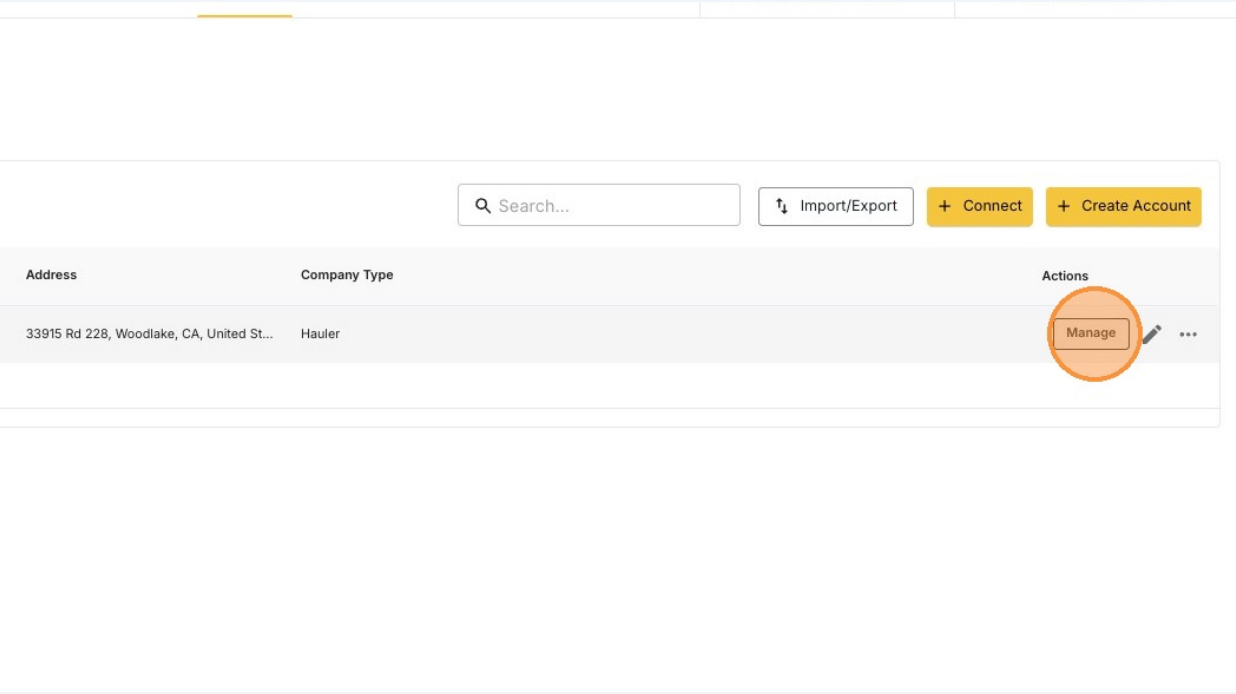
No MANAGE button? Email support@tread.io with the vendors you need to manage, or ask in the in-app chat.
3
Find the driver and click the pencil icon
The list shows every driver who belongs to this vendor or is shared to them.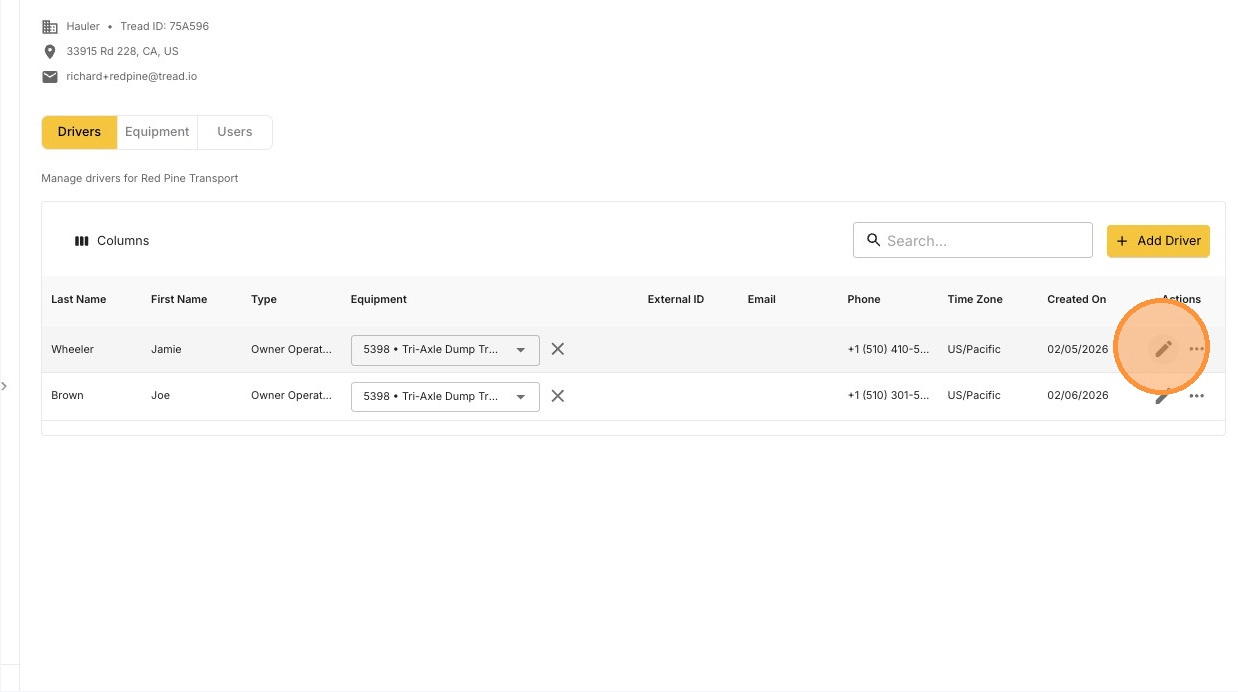
4
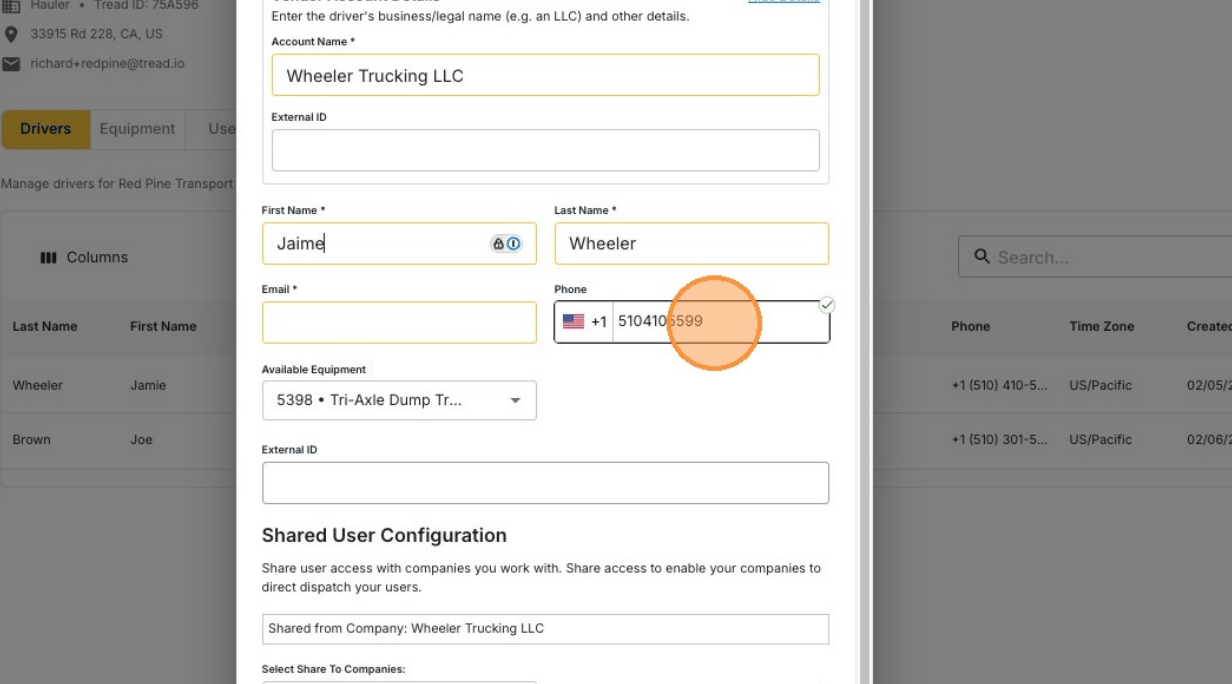
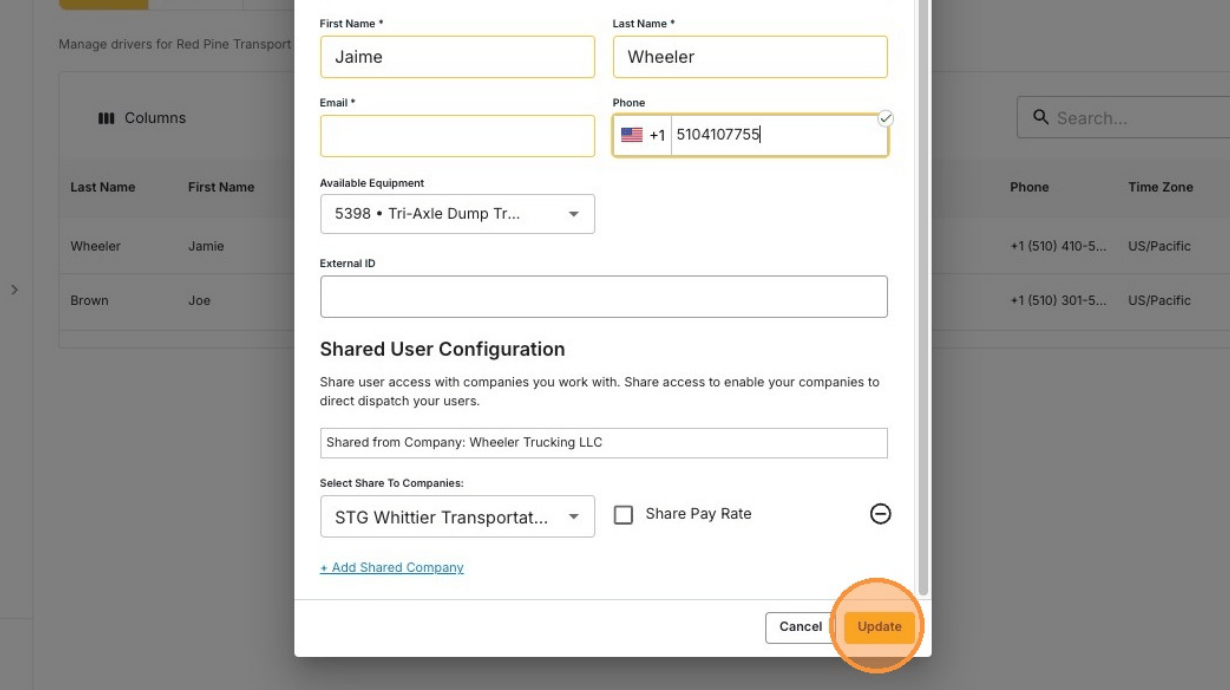
Edit the details and click Update
Resend a driver’s invite
A vendor’s driver who never activated their account can get a new invite.1
Open the vendor's Drivers tab
Go to Settings → Accounts → Vendors, click MANAGE, and stay on the Drivers tab.
2
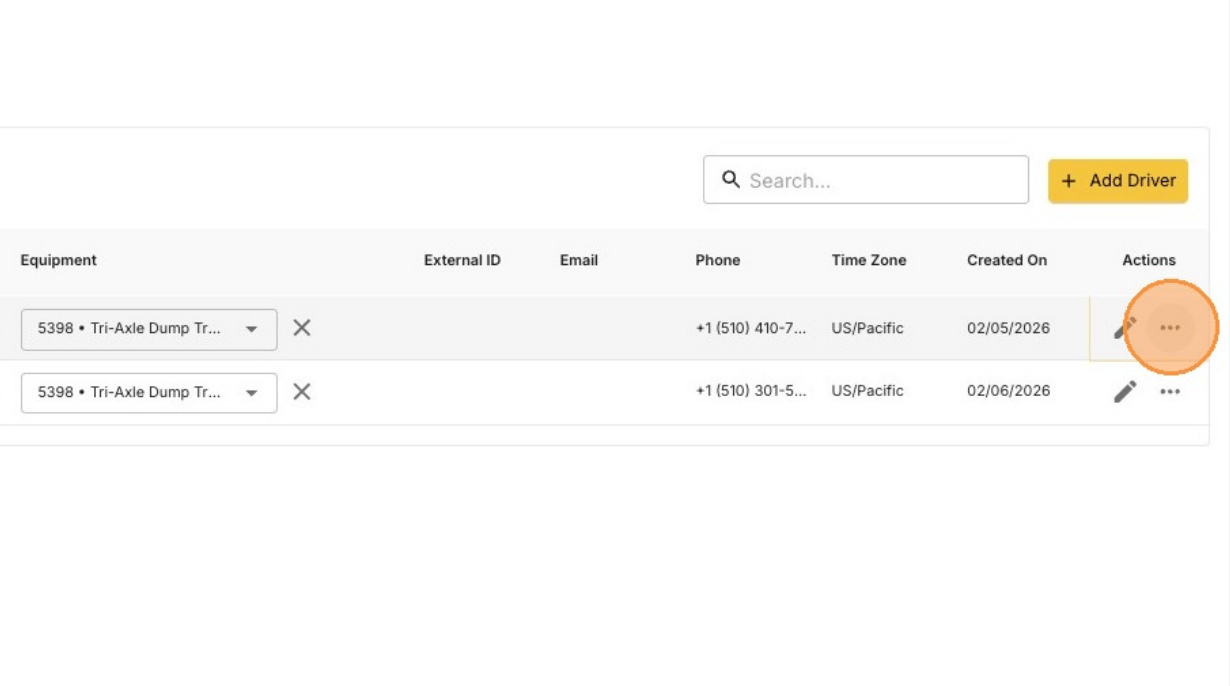
Find the driver and click the ••• icon
3
Click Resend Email Invite or Resend SMS Invite
Each option only shows if the driver hasn’t activated yet and has that email address or phone number on file. To add a missing one, edit the driver first.
Remove a driver
You remove a driver by unsharing them from the vendor’s account.1
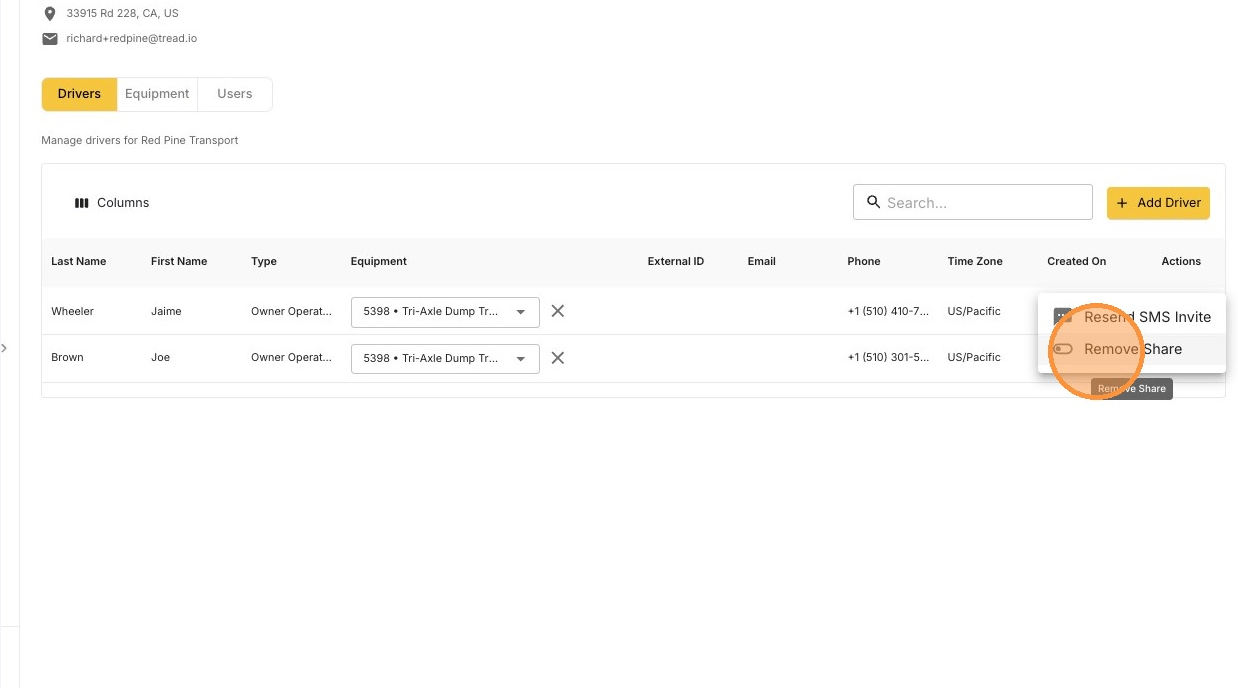
Find the driver and click the ••• icon
2
Click Remove Share
The driver may still be shared to your account. Remove that share from Settings → Drivers in your own account.